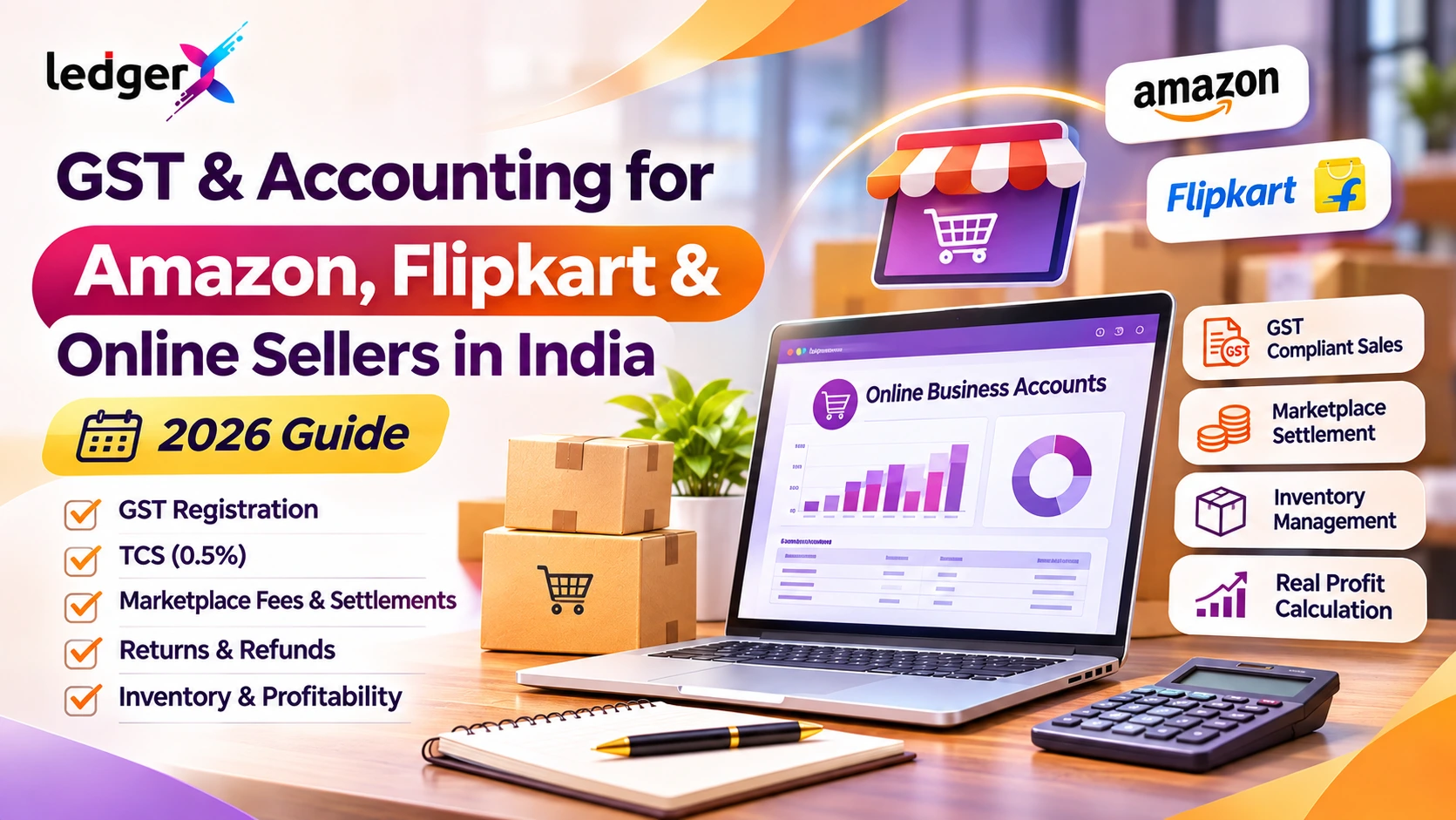
GST & Accounting for Amazon, Flipkart and Online Sellers in India (2026 Guide)
Selling products through Amazon, Flipkart and other online marketplaces can help Indian businesses reach customers beyond their local markets. However, managing the financial side of an online business can become complicated as order volumes increase.
A seller may receive hundreds of orders, but the amount deposited into their bank account is often different from the total sales value. Marketplace commissions, shipping charges, GST, Tax Collected at Source (TCS), returns, refunds and other adjustments can all affect the final settlement.
This creates an important question:
How can online sellers accurately track their sales, GST, expenses, inventory and actual profit?
In this guide, we explain GST and accounting for Amazon, Flipkart and other marketplace sellers in India, with practical examples and steps to maintain accurate business records.
1. Why Accounting Is Different for Online Marketplace Sellers
In a traditional retail shop, a customer purchases a product and pays the business directly.
Online marketplace transactions often involve additional steps.
For example:
- A customer places an order on a marketplace.
- The seller fulfils the order.
- The marketplace collects payment from the customer.
- Applicable marketplace fees and other deductions are calculated.
- The marketplace releases the remaining settlement amount to the seller.
The amount deposited into the seller's bank account may therefore be lower than the original invoice value.
If the seller records only the bank deposit as revenue, the accounting records may not reflect the full sales value, GST liability or business expenses.
This is why marketplace sellers need to maintain separate records for:
- Gross sales and taxable sales
- Output GST
- Product returns and refunds
- Marketplace commissions
- Shipping and fulfilment charges
- GST TCS
- Other marketplace deductions
- Bank settlements
- Inventory and cost of goods sold
Proper accounting helps sellers understand not only how much they are selling but also how much they are actually earning.
2. Is GST Registration Mandatory for Amazon and Flipkart Sellers?
GST registration is an important consideration for businesses selling through online marketplaces.
Under the GST framework, suppliers making taxable supplies through an e-commerce operator that is required to collect TCS are generally subject to compulsory registration provisions.
However, there is a specific relaxation for certain small suppliers of goods making only intra-state supplies through e-commerce operators, subject to prescribed conditions.
These conditions include restrictions on inter-state supplies, PAN-based requirements, state-specific registration arrangements and obtaining the prescribed enrolment number.
As a result, it is incorrect to say that every small online seller must always obtain GST registration, regardless of the circumstances.
What should sellers check?
Before selling through an online marketplace, review:
- Whether the products are taxable or exempt
- Whether sales will be intra-state or inter-state
- Whether the seller qualifies for the small-supplier exemption
- Whether the marketplace supports the applicable enrolment process
- Whether regular GST registration is required for the business model
Sellers planning to ship products across state borders should pay particular attention to registration requirements.
Practical tip: Confirm your GST registration or enrolment position before listing products. Do not rely only on general marketplace onboarding instructions.
3. How GST Works on Amazon and Flipkart Sales
For taxable supplies, GST is generally calculated based on the applicable classification, tax rate and place-of-supply rules.
For example, assume a seller sells a product with the following details:
| Particulars | Amount |
|---|---|
| Product taxable value | ₹1,000 |
| Illustrative GST rate | 18% |
| GST amount | ₹180 |
| Total invoice value | ₹1,180 |
The customer pays ₹1,180 for the product, assuming there are no additional charges or discounts.
The seller should record the taxable sale and output GST separately.
The applicable GST components depend on the nature and place of supply:
- CGST and SGST: Generally applicable to intra-state taxable supplies.
- IGST: Generally applicable to inter-state taxable supplies.
The 18% rate above is only an example. Actual GST rates depend on the product's classification and applicable notifications.
4. What Is TCS Under GST for Online Sellers?
Tax Collected at Source (TCS) is an important concept for sellers using marketplaces.
Under Section 52 of the CGST Act, an e-commerce operator meeting the prescribed conditions collects TCS on the net value of taxable supplies made through its platform where the operator collects the consideration.
The applicable TCS rate is generally 0.5% in total, consisting of:
- 0.25% CGST and 0.25% SGST/UTGST for intra-state supplies; or
- 0.5% IGST for inter-state supplies.
The marketplace deposits the collected TCS with the government and reports the relevant details in GSTR-8.
Example: TCS calculation
Suppose an online seller has the following transactions during a month:
| Particulars | Amount |
|---|---|
| Taxable supplies through marketplace | ₹2,00,000 |
| Taxable supplies returned during the month | ₹20,000 |
| Net taxable supplies for TCS illustration | ₹1,80,000 |
| TCS rate | 0.5% |
| TCS collected | ₹900 |
The marketplace collects ₹900 as GST TCS on the illustrated net taxable value.
Subject to the applicable GST process, this amount can become available in the seller's electronic cash ledger after the relevant details are reported and accepted.
Important: GST TCS is not the same as the seller's output GST liability. It is also not a marketplace commission or an ordinary business expense.
5. How to Account for Marketplace Commissions and Fees
Marketplaces may charge sellers for services such as:
- Referral or selling commissions
- Fulfilment and storage
- Shipping or logistics
- Advertising and promotions
- Other platform services
These charges reduce the amount the seller ultimately receives.
For accurate accounting, the business should record marketplace fees separately from product sales.
Example: Marketplace settlement
Assume the following illustrative transaction:
| Particulars | Amount |
|---|---|
| Product taxable value | ₹10,000 |
| Output GST at 18% | ₹1,800 |
| Total customer invoice | ₹11,800 |
| Marketplace commission, before GST | ₹1,000 |
| GST on commission at 18% | ₹180 |
| GST TCS at 0.5% of taxable sales | ₹50 |
| Net bank settlement | ₹10,570 |
In this simplified example, the marketplace deducts ₹1,180 in commission and GST, plus ₹50 in TCS, before transferring ₹10,570 to the seller.
The seller's sales revenue is not ₹10,570.
The records should distinguish:
- Sales revenue: ₹10,000
- Output GST: ₹1,800
- Marketplace commission expense: ₹1,000
- GST on commission: ₹180, with input tax credit treatment subject to eligibility
- GST TCS: ₹50
- Amount received in bank: ₹10,570
Actual settlement reports may include additional deductions, refunds, advertising charges, shipping fees, reserves or adjustments.
6. How to Record Amazon and Flipkart Sales in Accounting
A practical accounting process should separate sales, tax, fees and receipts.
Using the example above, the seller can follow this simplified accounting approach.
Step 1: Record the sale
Record the taxable sales value and applicable output GST.
The full invoice amount should be reflected in the customer or marketplace receivable records.
Step 2: Record marketplace fees
Enter the marketplace commission and other charges under appropriate expense accounts.
Record the GST charged on these services separately and assess whether the input tax credit is eligible.
Step 3: Record GST TCS
Record the TCS amount separately from business expenses.
Reconcile the amount with the marketplace's GSTR-8 reporting and the seller's GST records.
Step 4: Record the bank settlement
When the marketplace transfers the net amount, record the bank receipt against the outstanding marketplace settlement or receivable account.
Step 5: Reconcile the balance
Check whether the gross sales, fees, refunds, TCS and bank receipts agree with the marketplace settlement report.
This prevents sales revenue from being understated simply because the marketplace has deducted charges before transferring money.
7. Managing Returns, Refunds and Cancelled Orders
Returns are common in online selling.
A product may be returned because of damage, size issues, delivery problems or customer preferences.
Each return can affect:
- Sales revenue
- Output GST
- Customer refunds
- Inventory
- Marketplace fees
- Settlement amounts
- Profitability
Example
Suppose a product was originally sold for ₹2,000 plus ₹360 GST.
The total invoice value is ₹2,360.
If the customer returns the product and the transaction qualifies for a GST credit note, the seller may need to adjust the original sale and GST in accordance with the applicable credit-note provisions.
The product should also be reviewed for inventory purposes.
If it is returned in saleable condition, it may be added back to available stock.
If it is damaged or cannot be resold, its value may require separate treatment.
Why return reconciliation matters
A marketplace may process a refund in one period and settle the related adjustments in another.
If the business does not reconcile these entries, it may overstate revenue, understate returns or miscalculate available inventory.
Maintain a return register linked to the original order and invoice wherever possible.
8. How to Reconcile Marketplace Settlements with Bank Transactions
Marketplace settlement reconciliation is one of the most important accounting tasks for online sellers.
The settlement report shows how the marketplace calculated the amount payable to the seller.
The bank statement shows the amount actually received.
Both records should be compared.
Settlement reconciliation checklist
| Record | What to verify |
|---|---|
| Marketplace order report | Total sales and order values |
| Tax invoice records | Taxable value and output GST |
| Return/refund report | Cancelled and returned transactions |
| Fee statements | Commission, shipping and other charges |
| TCS statement | TCS deducted and reported |
| Settlement report | Net amount payable |
| Bank statement | Actual deposit received |
A useful approach is to maintain a separate clearing or settlement account for each marketplace.
For example:
- Amazon Settlement Account
- Flipkart Settlement Account
- Other Marketplace Settlement Account
This makes it easier to identify unpaid balances, deductions and transactions that have not yet been settled.
9. GST Returns and Reporting for Online Sellers
GST-registered marketplace sellers should maintain records that support their applicable GST returns.
Depending on their registration and return-filing status, these may include:
GSTR-1
Used to report outward supplies and related details.
The business should ensure that marketplace sales, relevant invoices, credit notes and other reportable transactions are accurately captured.
GSTR-3B
Used to report summary GST liabilities, eligible input tax credit and other relevant information.
Sales and tax amounts should agree with the accounting records, subject to the applicable reporting rules.
GSTR-8
This return is filed by the e-commerce operator required to collect TCS, not ordinarily by the marketplace seller.
Sellers should review the TCS information reported by the operator and complete the applicable acceptance or reconciliation process.
GSTR-2B and purchase records
Businesses should also reconcile eligible input tax credit on purchases and marketplace service invoices with the relevant GST statements.
Important: TCS under GST and input tax credit are different concepts. They should not be treated as interchangeable accounting balances.
10. How to Manage Inventory Across Multiple Marketplaces
Inventory management becomes more difficult when a business sells through multiple channels.
For example, a seller may have:
- A physical retail shop
- Amazon listings
- Flipkart listings
- A direct website
- Wholesale customers
If all these channels use the same stock, inaccurate inventory records can result in overselling or incorrect stock valuation.
Example
A business has 100 units of a product.
During the day:
- Amazon sells 15 units.
- Flipkart sells 10 units.
- The retail shop sells 8 units.
Total units sold: 33.
Remaining stock: 67 units, before considering receipts, returns, damage and other adjustments.
Maintaining a central stock record helps the business understand how many units remain available.
However, centralised inventory accounting does not automatically mean live stock synchronisation with Amazon or Flipkart. Sellers should verify whether their chosen software supports marketplace integrations before relying on automated stock updates.
11. How to Calculate Actual Profit from Online Sales
Many online sellers focus on order value or monthly revenue.
But revenue alone does not show whether the business is profitable.
To calculate actual profit, sellers must consider product costs and operating expenses.
Example: Monthly online selling profit
| Particulars | Amount |
|---|---|
| Net sales revenue, excluding GST | ₹5,00,000 |
| Cost of goods sold | ₹3,00,000 |
| Gross profit | ₹2,00,000 |
| Marketplace commissions | ₹40,000 |
| Shipping and fulfilment expenses | ₹25,000 |
| Advertising expenses | ₹30,000 |
| Packaging expenses | ₹10,000 |
| Other operating expenses | ₹15,000 |
| Illustrative operating profit | ₹80,000 |
The business generated ₹5 lakh in sales revenue, but its illustrative operating profit was ₹80,000.
This example excludes income tax, financing costs and other items not listed. GST is assumed to be excluded from revenue and recoverable tax amounts.
Key formulas
Gross Profit = Net Sales Revenue − Cost of Goods Sold
Operating Profit = Gross Profit − Operating Expenses
Operating Profit Margin = (Operating Profit ÷ Net Sales Revenue) × 100
In the example:
Operating Profit Margin = (₹80,000 ÷ ₹5,00,000) × 100 = 16%
Tracking these figures helps sellers understand whether discounts, commissions and advertising costs are reducing profitability.
12. Common Accounting Mistakes Made by Online Sellers
Recording only the bank settlement as sales
This understates gross sales and may result in incorrect accounting for GST and expenses.
Treating GST TCS as a marketplace fee
TCS should be recorded and reconciled separately.
Ignoring marketplace fee invoices
Commissions, shipping and advertising charges can materially affect profit.
Failing to record returns correctly
Returns affect sales, GST, inventory and settlements.
Mixing personal and business expenses
Separate business records make financial reporting and tax compliance easier.
Not reconciling inventory
Stock mismatches can lead to overselling, incorrect valuations and unreliable profit calculations.
Assuming marketplace reports replace accounting records
Marketplace reports are important source documents, but they do not automatically provide a complete Profit & Loss Statement or Balance Sheet for the business.
13. How Accounting Software Helps Online Sellers
As order volumes increase, maintaining marketplace sales in separate spreadsheets can become difficult.
Accounting software can help businesses organise their records in one place.
Useful capabilities include:
- GST and non-GST invoicing
- Sales and purchase accounting
- Customer and supplier records
- Expense tracking
- Inventory and stock valuation
- GST reports
- Profit & Loss Statement
- Balance Sheet
- Ledger and trial balance reports
- Cloud access to business accounts
Managing online business accounts with LedgerX
LedgerX is cloud-based accounting and GST billing software designed for Indian businesses, including retailers, traders, distributors and online sellers.
Businesses can use LedgerX to maintain sales, purchases, expenses, inventory and financial reports in a central accounting system.
With organised records, sellers can review business performance and maintain better visibility over income, costs and stock.
Before choosing an accounting workflow, sellers should confirm whether the required marketplace imports, automated settlement reconciliation or live marketplace integrations are supported. These should not be assumed merely because a platform offers general accounting and inventory features.
LedgerX is free for the first two years, with all features included. Annual subscriptions start at ₹1,490 thereafter.
14. Frequently Asked Questions
1. Is GST registration compulsory for Amazon and Flipkart sellers?
GST registration is generally required for taxable goods suppliers selling through e-commerce operators that collect TCS, but a conditional exemption exists for certain small suppliers making only intra-state supplies. Eligibility depends on the prescribed conditions.
2. What is the GST TCS rate for online marketplace sellers?
The generally applicable GST TCS rate is 0.5% of the net value of taxable supplies covered by Section 52: 0.25% CGST plus 0.25% SGST/UTGST, or 0.5% IGST, as applicable.
3. Does Amazon or Flipkart pay all GST on behalf of sellers?
No. For ordinary taxable goods sales, the seller generally remains responsible for applicable output GST and return compliance. Marketplace TCS is a separate mechanism. Special rules apply to notified services under Section 9(5).
4. Is GST TCS an expense for the seller?
GST TCS is generally not an ordinary operating expense. It should be recorded and reconciled as a tax-related balance in accordance with the applicable GST process.
5. How should marketplace commission be recorded?
Marketplace commission should generally be recorded separately as an expense. Any GST charged on the commission should be accounted for according to input tax credit eligibility.
6. Why is the marketplace settlement less than the total sales value?
The marketplace may deduct commissions, shipping charges, GST on its fees, TCS, refunds, advertising charges and other adjustments before releasing payment.
7. How do online sellers calculate profit?
Start with net sales revenue, subtract the cost of goods sold to calculate gross profit, then subtract marketplace fees and other operating expenses to calculate operating profit.
8. How should returned products be recorded?
Returns should be linked to the original sale. The seller should account for the relevant refund, sales and GST adjustments and update inventory based on the condition of the returned product.
9. Can accounting software help manage Amazon and Flipkart sales?
Yes. Accounting software can help maintain sales, purchases, expenses, GST and inventory records. Automated marketplace imports and settlement reconciliation depend on the specific software's integration capabilities.
10. Is selling through a personal website treated the same as selling through a marketplace?
Not necessarily. A business selling its own goods directly through its own website generally does not collect Section 52 TCS on those own-account sales. Its normal GST obligations still apply.
Conclusion
Selling on Amazon, Flipkart and other online marketplaces requires more than tracking orders and bank deposits.
Accurate accounting involves recording full sales values, GST, marketplace commissions, TCS, returns, inventory and settlement adjustments.
Businesses that maintain these records consistently can understand their actual profitability, reconcile payments more effectively and prepare more reliable GST and financial reports.
Whether a seller operates through one marketplace or multiple sales channels, a centralised accounting process provides a clearer picture of business performance.
Manage billing, purchases, expenses, inventory and financial reports with LedgerX. Get complete cloud accounting software free for the first two years.