GST Invoice Format in India: Free Excel, Word & PDF Templates + Examples
Creating a proper GST invoice is an important part of running a GST-registered business in India.
Whether you operate a retail shop, wholesale business, service company, manufacturing business, online business or freelance operation, your invoices need to contain the appropriate business, customer, product and tax information.
But creating invoices manually in Excel or Word can become time-consuming, especially when you need to calculate GST for every transaction.
In this guide, you will learn:
- What a GST invoice is
- GST invoice format in India
- Mandatory details in a GST invoice
- GST invoice examples
- GST invoice format in Excel
- GST invoice format in Word
- GST invoice format in PDF
- GST invoice format for retail shops
- GST invoice format for services
- How to calculate CGST, SGST and IGST
- How to create a GST invoice online for free
If you simply need to create an invoice now, you can use the free LedgerX GST Invoice Generator.
What Is a GST Invoice?
A GST invoice is a document issued by a registered business when supplying taxable goods or services.
It records important information about the transaction, including:
- Seller details
- Buyer details
- Invoice number
- Invoice date
- Product or service details
- HSN or SAC information, where applicable
- Taxable value
- GST rate
- CGST
- SGST/UTGST
- IGST
- Total invoice value
A properly prepared invoice provides a clear record of the transaction and helps businesses maintain their accounting and GST records.
GST Invoice Format in India
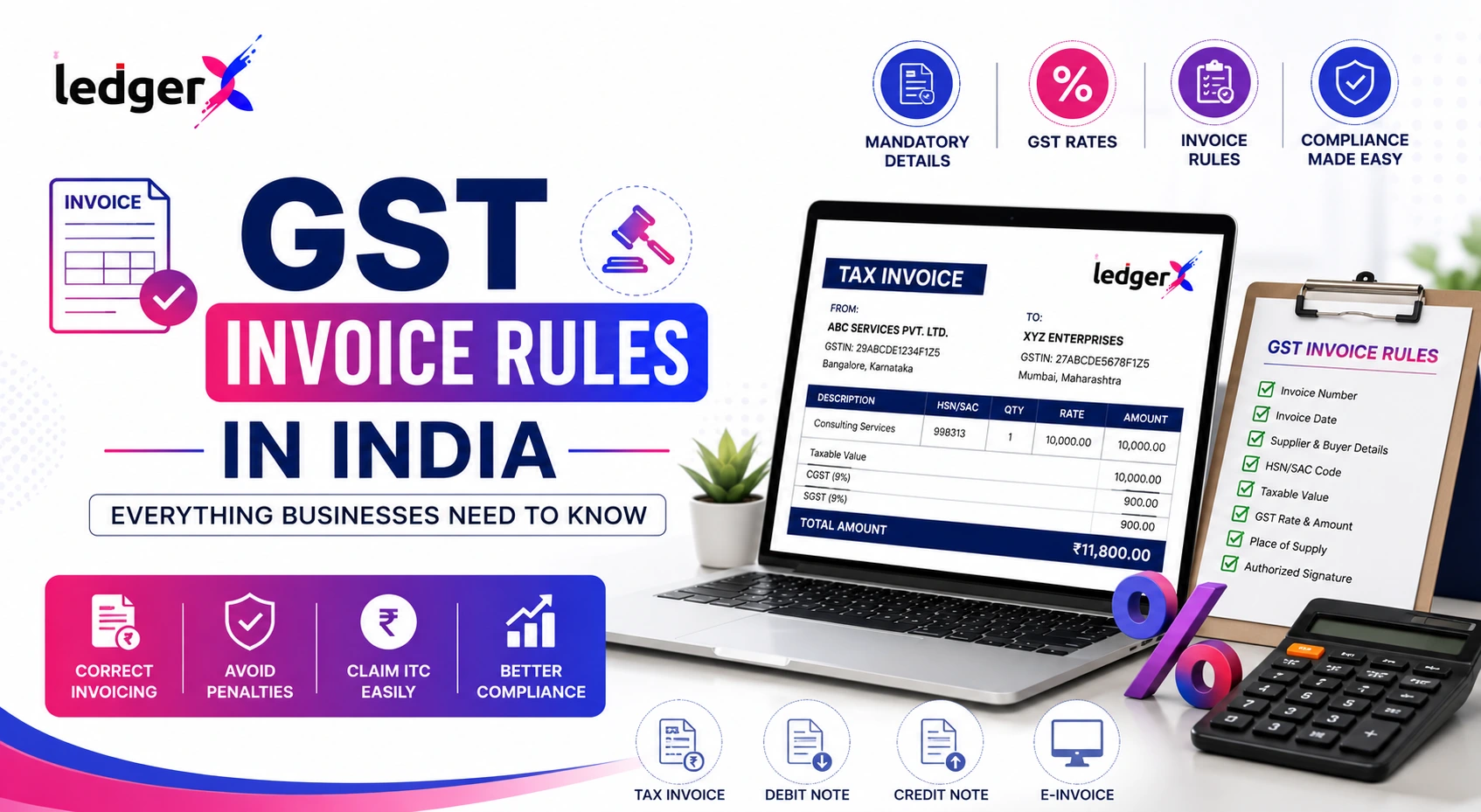
A typical GST invoice can contain the following structure:
The exact information required can vary depending on the nature of the transaction, type of supply and applicable GST requirements.
GST Invoice Example
Suppose a registered business sells products worth ₹20,000 within the same state.
Assume the applicable GST rate is 18%.
For an intra-state transaction, the GST can be divided into:
- CGST = 9%
- SGST = 9%
Calculation
Taxable Value: ₹20,000
CGST:
₹20,000 × 9% = ₹1,800
SGST:
₹20,000 × 9% = ₹1,800
Total GST:
₹1,800 + ₹1,800 = ₹3,600
Invoice Total:
₹20,000 + ₹3,600 = ₹23,600
This calculation should be clearly reflected on the invoice.
What Information Should a GST Invoice Contain?
A GST invoice generally includes several important fields.
1. Supplier Details
The invoice should identify the business issuing the invoice.
Common details include:
- Business name
- Business address
- GSTIN
- Contact information
For example:
ABC Enterprises
MG Road, Kochi, Kerala
GSTIN: 32ABCDE1234F1Z5
2. Invoice Number
Every invoice should have a unique invoice number according to the applicable invoicing requirements.
Example:
INV-2026-001
Businesses should maintain a consistent and appropriate invoice numbering system.
3. Invoice Date
The invoice should include the relevant invoice date.
Example:
Invoice Date: 13 August 2026
4. Customer Details
The buyer's details should be included as applicable.
These can include:
- Customer name
- Address
- GSTIN, where applicable
- State
- State code
For B2B transactions, accurate customer GST information is particularly important.
5. HSN or SAC Code
Depending on whether you are supplying goods or services, the relevant HSN or SAC classification may need to be included.
HSN
HSN is used for the classification of goods.
SAC
SAC is used for the classification of services.
The applicable requirements can depend on the taxpayer and transaction.
6. Product or Service Description
Clearly describe the goods or services supplied.
For example:
| Item | Description |
|---|---|
| 1 | Laptop |
| 2 | Printer |
| 3 | Installation Service |
Clear descriptions make invoices easier to understand and reconcile.
7. Quantity
For goods, the invoice can include the quantity supplied.
Example:
Quantity: 5
8. Rate and Taxable Value
The invoice should show the applicable price and taxable amount.
For example:
Quantity: 2
Rate: ₹10,000
Taxable Value: ₹20,000
9. GST Rate
The applicable GST rate should be shown.
Examples may include:
- 5%
- 12%
- 18%
- 28%
The applicable rate depends on the goods or services and their classification.
10. CGST, SGST and IGST
GST may be shown differently depending on the type of transaction.
For an intra-state supply, CGST and SGST/UTGST may apply.
For an inter-state supply, IGST may apply.
For example:
Intra-State
Taxable value: ₹20,000
CGST @ 9% = ₹1,800
SGST @ 9% = ₹1,800
Total GST = ₹3,600
Inter-State
Taxable value: ₹20,000
IGST @ 18% = ₹3,600
Total GST = ₹3,600
The applicable tax treatment depends on the transaction and applicable GST rules.
GST Invoice Format for Intra-State Sales
When a taxable supply is made within the same state, the applicable GST may be divided into CGST and SGST/UTGST.
Example:
Product Value: ₹50,000
GST Rate: 18%
CGST @ 9% = ₹4,500
SGST @ 9% = ₹4,500
Total GST = ₹9,000
Invoice Total = ₹59,000
A simplified invoice could therefore show:
| Particular | Amount |
|---|---|
| Taxable Value | ₹50,000 |
| CGST @ 9% | ₹4,500 |
| SGST @ 9% | ₹4,500 |
| Total | ₹59,000 |
GST Invoice Format for Inter-State Sales
For an eligible inter-state taxable supply, IGST may apply.
Example:
Taxable Value: ₹50,000
IGST: 18%
IGST = ₹50,000 × 18%
IGST = ₹9,000
Total invoice value:
₹50,000 + ₹9,000 = ₹59,000
The invoice may therefore show:
| Particular | Amount |
|---|---|
| Taxable Value | ₹50,000 |
| IGST @ 18% | ₹9,000 |
| Total | ₹59,000 |
GST Invoice Format in Excel
Excel is one of the most commonly used tools for creating business invoices.
A basic GST invoice spreadsheet can contain columns such as:
| Item | HSN/SAC | Qty | Rate | Taxable Amount | GST % | CGST | SGST | IGST | Total |
|---|
Advantages of Excel
- Easy to edit
- Familiar to most businesses
- Can contain automatic formulas
- Can maintain invoice records
- Can be customized
Problems with manual Excel invoicing
As the number of invoices increases, manually maintaining Excel files can become difficult.
You may need to:
- Create new invoices repeatedly
- Check calculations
- Maintain invoice numbers
- Track customer balances
- Maintain sales records
- Manage multiple files
- Generate reports
For businesses with frequent transactions, dedicated accounting or invoicing software can reduce this manual work.
GST Invoice Format in Word
Microsoft Word can also be used to create a GST invoice template.
A Word invoice generally contains:
- Business logo
- Business name
- GSTIN
- Customer details
- Invoice number
- Invoice date
- Item details
- Taxable value
- GST
- Total amount
- Payment information
Word is useful when you need a simple document-based invoice.
However, calculations are generally less convenient than using Excel or dedicated invoicing software.
GST Invoice Format in PDF
PDF is commonly used for sharing the final invoice with customers.
A PDF invoice provides a consistent document format that can be:
- Downloaded
- Printed
- Emailed
- Shared through WhatsApp
- Stored digitally
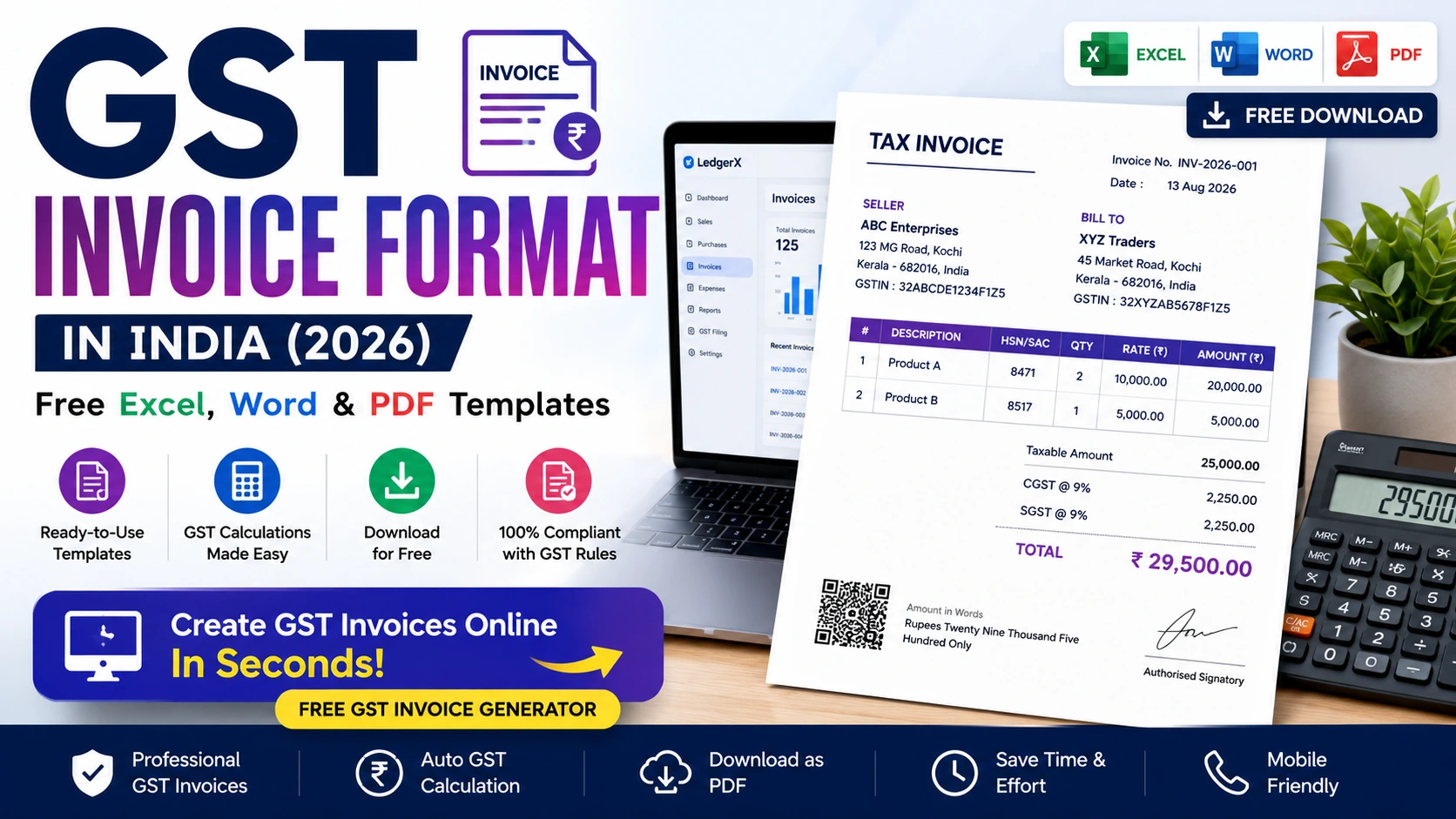
Instead of manually designing a PDF, you can create the invoice using an online invoice generator and download the final document.
Free GST Invoice Generator
If you don't want to manually create an invoice in Excel or Word, an online GST invoice generator can make the process easier.
With the LedgerX Free GST Invoice Generator, you can enter invoice details, add items, calculate GST and download the invoice as a PDF.


5
Create Your GST Invoice Online
No Excel formatting. No manual GST calculations.
Enter your business details, customer information and products, then generate your invoice.
GST Invoice Format for Retail Shops
Retail businesses often generate a large number of invoices every day.
A retail GST invoice may contain:
- Shop name
- GSTIN
- Customer details
- Product description
- HSN
- Quantity
- Selling price
- GST rate
- CGST
- SGST
- Total amount
For example:
Retail Invoice
Product: Bluetooth Speaker
Quantity: 2
Price: ₹2,500 each
Taxable value:
₹2,500 × 2 = ₹5,000
If GST is 18%:
CGST @ 9% = ₹450
SGST @ 9% = ₹450
Total:
₹5,900
For shops generating dozens or hundreds of invoices, manually creating these calculations in Excel can become inefficient.
This is where billing and accounting software can help.
GST Invoice Format for Small Businesses
Small businesses may need GST invoices for:
- Product sales
- Service sales
- B2B transactions
- B2C transactions
- Local sales
- Inter-state sales
A simple digital invoicing system can help businesses maintain consistent records.
Instead of creating every invoice from scratch, you can maintain customer and product information and generate invoices as needed.
GST Invoice Format for Service Businesses
GST invoices are not limited to product-based businesses.
Service providers may also issue GST invoices.
Examples include:
- Digital marketing agencies
- IT companies
- Consultants
- Freelancers
- Repair services
- Training providers
- Design agencies
- Professional services
A service invoice can contain:
Service: Digital Marketing Services SAC: XXXXX Quantity: 1 Service Value: ₹25,000 GST @ 18%: ₹4,500 Total: ₹29,500
The appropriate SAC classification and GST treatment should be determined according to the applicable rules for the service.
GST Invoice Example for a Service Business
Suppose a digital marketing agency provides services worth:
₹25,000
Applicable GST:
18%
GST calculation:
₹25,000 × 18% = ₹4,500
Total invoice:
₹25,000 + ₹4,500 = ₹29,500
For an eligible intra-state transaction, this could be represented as:
CGST @ 9% = ₹2,250
SGST @ 9% = ₹2,250
Total GST = ₹4,500
GST Invoice vs GST Bill
The terms GST bill and GST invoice are often used interchangeably in everyday business conversations.
However, businesses should use the appropriate document based on the nature of the transaction and applicable GST requirements.
You may see people searching for:
- GST bill format
- GST invoice format
- GST tax invoice
- GST bill PDF
- GST invoice PDF
- GST invoice template
These searches often refer to the need for a document that records a taxable business transaction.
GST Tax Invoice Format
A GST tax invoice should provide the necessary transaction and tax information applicable to the supply.
A typical format can include:
TAX INVOICE Supplier Name Address GSTIN Invoice Number Invoice Date Customer Name Customer Address Customer GSTIN ------------------------------------------------ Description | HSN/SAC | Qty | Rate | Value ------------------------------------------------ Taxable Value CGST SGST / UTGST IGST TOTAL INVOICE VALUE
The exact fields and requirements should be checked against the current GST rules applicable to your business.
GST Invoice Calculation Example
Let's take a more detailed example.
Suppose:
Product: Office Chair
Quantity: 5
Price per chair: ₹4,000
Step 1: Calculate taxable value
5 × ₹4,000 = ₹20,000
Step 2: Calculate GST
Assume GST = 18%.
₹20,000 × 18% = ₹3,600
Step 3: Split GST for an intra-state supply
CGST = ₹1,800
SGST = ₹1,800
Step 4: Calculate total
₹20,000 + ₹3,600
Total = ₹23,600
A GST calculator can make these calculations faster when preparing multiple invoices.
GST Invoice Checklist
Before issuing an invoice, check whether the relevant details have been entered correctly.
Business Details
- Business name
- Address
- GSTIN
- Contact information
Invoice Details
- Invoice number
- Invoice date
Customer Details
- Customer name
- Address
- GSTIN where applicable
Product/Service Details
- Description
- HSN/SAC where applicable
- Quantity
- Rate
- Taxable value
Tax Details
- GST rate
- CGST
- SGST/UTGST
- IGST where applicable
Final Amount
- Total GST
- Total invoice value
Why Use an Online GST Invoice Generator?
For a business generating invoices regularly, online invoicing can reduce repetitive manual work.
Faster invoice creation
Create invoices without designing a new Excel or Word document every time.
Automatic calculations
GST calculations can be handled by the tool instead of being calculated manually.
Professional invoices
Generate a consistent invoice format for customers.
Digital records
Invoices can be downloaded and stored electronically.
Easy sharing
PDF invoices can be shared through email, WhatsApp or other channels.
Free GST Invoice Generator for Indian Businesses
If you need a quick way to generate a GST invoice without manually creating an Excel template, LedgerX provides a free online GST invoice generator.
You can:
- Enter seller details
- Enter customer details
- Add products or services
- Select GST
- Calculate tax
- Generate the invoice
- Download the invoice as PDF
Create Your Invoice Now
No need to create the entire invoice layout manually.
GST Invoice Format: Excel vs Word vs Online Generator
| Feature | Excel | Word | Online Generator |
|---|---|---|---|
| Easy to edit | ✅ | ✅ | ✅ |
| Automatic calculations | ✅ | Limited | ✅ |
| Reusable template | ✅ | ✅ | ✅ |
| GST calculation | Formula required | Manual | Automatic |
| PDF generation | Possible | Possible | Usually built-in |
| Customer management | Limited | No | Depends on tool |
| Suitable for frequent invoices | Moderate | Low | High |
| Manual work | Higher | Higher | Lower |
For a business that creates only a few invoices, Excel or Word may be sufficient.
For businesses generating invoices regularly, an online invoicing or accounting system can be more convenient.
Frequently Asked Questions About GST Invoice Format
What is the format of a GST invoice?
A GST invoice generally contains supplier and customer information, invoice number and date, product or service details, HSN/SAC where applicable, taxable value, GST details and total invoice value.
Can I create a GST invoice in Excel?
Yes. Businesses can create GST invoice templates in Excel and use formulas to calculate taxable values and GST.
Can I download a GST invoice format in PDF?
Yes. A GST invoice can be generated and saved or downloaded as a PDF when using an appropriate invoicing tool.
Is there a GST invoice format in Word?
Yes. You can create a reusable GST invoice template in Microsoft Word.
How do I create a GST invoice online?
Enter the seller details, customer details, products or services, applicable GST rate and other required information into an online GST invoice generator. The tool can then generate the invoice.
How is GST calculated on an invoice?
GST is generally calculated by applying the applicable GST rate to the taxable value.
For example:
₹10,000 × 18% = ₹1,800 GST
The tax may be divided into CGST and SGST/UTGST for applicable intra-state supplies or charged as IGST for applicable inter-state supplies.
What is the difference between CGST and SGST?
For applicable intra-state supplies, GST may be divided between CGST and SGST/UTGST.
For example, an 18% GST rate can be represented as:
9% CGST + 9% SGST
What is IGST?
IGST is the integrated GST applicable to eligible inter-state supplies and certain other transactions under GST law.
Can a small business create GST invoices online?
Yes, businesses can use online invoicing tools to create and manage invoices, subject to their applicable GST and invoicing requirements.
Is Excel better than an online GST invoice generator?
It depends on the business. Excel provides flexibility, while an online generator can reduce manual formatting and calculation work.
GST Invoice Format: Final Takeaway
A properly prepared GST invoice helps businesses maintain clear records of their sales and taxes.
Whether you are looking for a:
- GST invoice format in Excel
- GST invoice format in Word
- GST invoice format in PDF
- GST invoice template
- GST invoice sample
- GST invoice for a retail shop
- GST invoice for services
- free GST invoice generator
the basic objective is the same: create a clear and accurate record of the transaction with the relevant GST information.
If you are still creating every invoice manually in Excel or Word, you can save time by using an online invoice generator.
Create Your GST Invoice for Free
Enter your details, add your products or services, calculate GST and download your invoice.