How to Create a Profit & Loss Statement: A Complete Step-by-Step Guide
A Profit & Loss Statement (P&L Statement), also known as an Income Statement, is one of the most important financial reports for any business. It shows whether your business made a profit or incurred a loss during a specific accounting period by comparing total revenue with total expenses.
Whether you own a startup, retail shop, manufacturing business, trading company, or service-based business, preparing a Profit & Loss Statement helps you evaluate business performance, control expenses, and make informed financial decisions.
Although businesses can prepare this report manually using spreadsheets, modern accounting software like LedgerX Accounting Software automatically generates Profit & Loss Statements in real time, saving time while improving accuracy.
What is a Profit & Loss Statement?
A Profit & Loss Statement is a financial statement that summarizes:
- Revenue
- Cost of Goods Sold (COGS)
- Gross Profit
- Operating Expenses
- Operating Profit
- Other Income
- Taxes
- Net Profit or Net Loss
Unlike a Balance Sheet, which shows the financial position of a business on a particular date, a Profit & Loss Statement measures business performance over a period such as a month, quarter, or financial year.
Why is a Profit & Loss Statement Important?
A Profit & Loss Statement provides valuable insights into the financial performance of a business.
It helps businesses:
- Measure profitability
- Track income and expenses
- Improve budgeting
- Control operating costs
- Analyze revenue growth
- Prepare tax returns
- Apply for business loans
- Attract investors
- Support strategic business decisions
Business owners, accountants, banks, investors, and auditors rely on Profit & Loss Statements to evaluate financial performance.
Key Components of a Profit & Loss Statement
A standard Profit & Loss Statement consists of the following sections.
1. Revenue (Sales)
Revenue represents the total income earned from business operations before deducting expenses.
Examples include:
- Product Sales
- Service Revenue
- Online Sales
- Commission Income
2. Cost of Goods Sold (COGS)
COGS includes the direct costs associated with producing or purchasing goods sold.
Examples:
- Purchase Cost
- Raw Materials
- Manufacturing Costs
- Freight Inward
- Direct Labor
3. Gross Profit
Gross Profit indicates how much profit remains after deducting the cost of goods sold.
Formula:
Gross Profit = Revenue – Cost of Goods Sold
4. Operating Expenses
These are expenses incurred to run daily business operations.
Examples include:
- Salaries
- Rent
- Electricity
- Internet
- Office Expenses
- Marketing Costs
- Insurance
- Depreciation
- Repairs & Maintenance
5. Operating Profit
Operating Profit measures profit generated from normal business operations.
Formula:
Operating Profit = Gross Profit – Operating Expenses
6. Other Income and Expenses
Businesses may also earn or incur:
- Interest Income
- Interest Expense
- Rental Income
- Investment Income
- Miscellaneous Income
7. Net Profit
Net Profit represents the final earnings after deducting all business expenses.
Formula:
Net Profit = Total Revenue – Total Expenses
If expenses exceed revenue, the business records a Net Loss.
Information Required Before Creating a Profit & Loss Statement
Gather the following records before preparing a P&L Statement:
- Trial Balance
- Sales Register
- Purchase Register
- Expense Records
- General Ledger
- Inventory Records
- Bank Statements
- Payroll Records
- Depreciation Schedule
- GST Records (if applicable)
Businesses using LedgerX Accounting Software can generate these reports automatically without manually compiling data.
Step-by-Step Guide to Create a Profit & Loss Statement
Step 1: Calculate Total Revenue
Start by calculating all income earned during the accounting period.
Example:
| Revenue Source | Amount (₹) |
|---|---|
| Product Sales | 9,50,000 |
| Service Income | 1,50,000 |
| Other Income | 50,000 |
| Total Revenue | 11,50,000 |
Step 2: Calculate Cost of Goods Sold (COGS)
Add all direct costs associated with goods or services sold.
Example:
| Expense | Amount (₹) |
| Purchases | 4,20,000 |
| Raw Materials | 1,10,000 |
| Freight Charges | 20,000 |
| Total COGS | 5,50,000 |
Step 3: Calculate Gross Profit
Formula:
Gross Profit = Revenue – COGS
Example:
₹11,50,000 – ₹5,50,000 = ₹6,00,000
Step 4: Calculate Operating Expenses
List all operating expenses.
Example:
| Operating Expense | Amount (₹) |
| Salaries | 1,20,000 |
| Rent | 60,000 |
| Electricity | 25,000 |
| Internet | 10,000 |
| Marketing | 40,000 |
| Office Expenses | 20,000 |
| Depreciation | 25,000 |
| Total Operating Expenses | 3,00,000 |
Step 5: Calculate Operating Profit
Operating Profit = Gross Profit – Operating Expenses
Example:
₹6,00,000 – ₹3,00,000 = ₹3,00,000
Step 6: Include Other Income and Expenses
Example:
Interest Income = ₹20,000
Interest Expense = ₹10,000
Net Other Income = ₹10,000
Step 7: Calculate Net Profit
Final Calculation:
Operating Profit = ₹3,00,000
Add Net Other Income = ₹10,000
Net Profit = ₹3,10,000
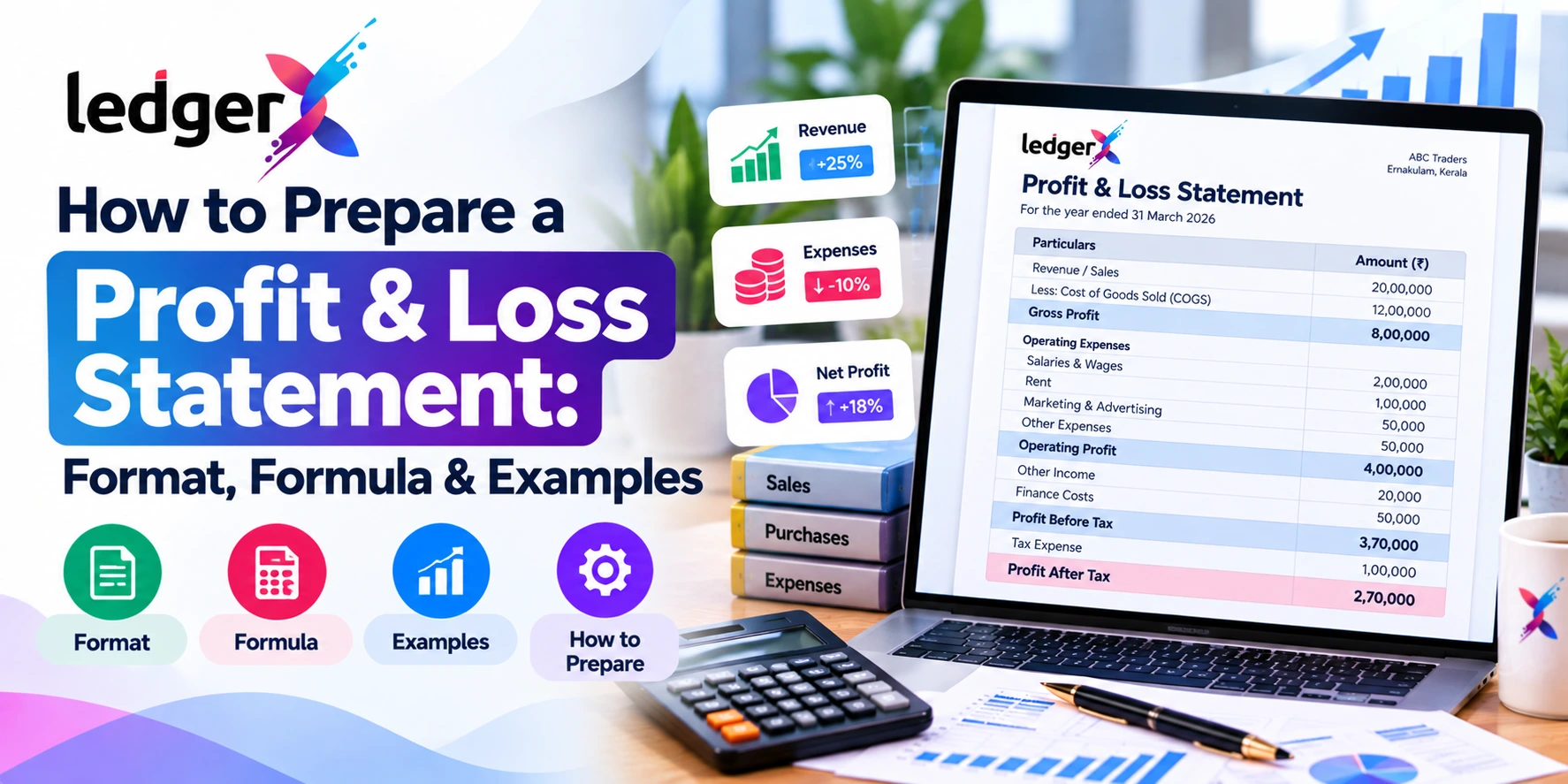
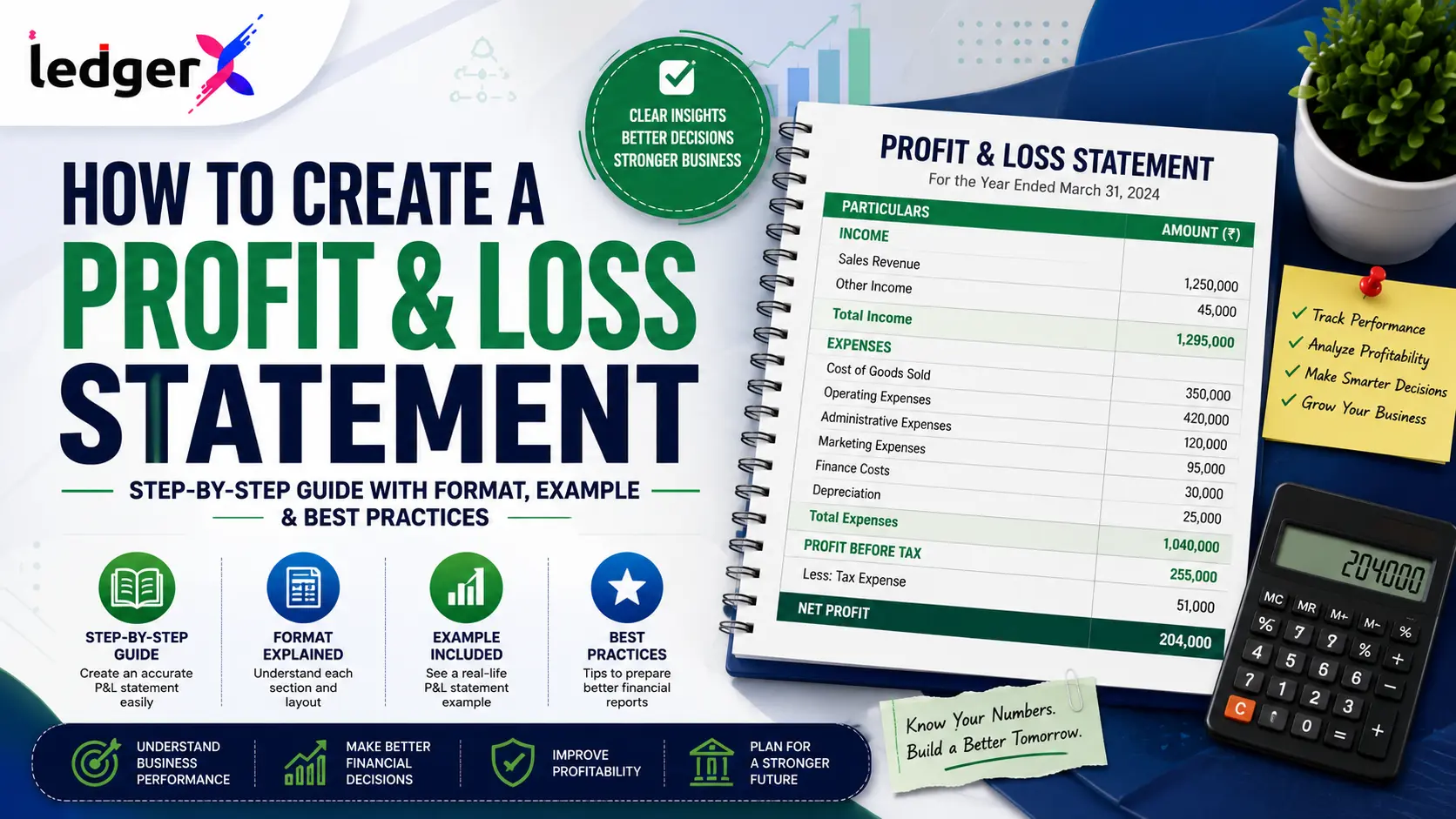
Profit & Loss Statement Example
| Particulars | Amount (₹) |
| Total Revenue | 11,50,000 |
| Less: Cost of Goods Sold | 5,50,000 |
| Gross Profit | 6,00,000 |
| Operating Expenses | 3,00,000 |
| Operating Profit | 3,00,000 |
| Add: Other Income | 20,000 |
| Less: Interest Expense | 10,000 |
| Net Profit | 3,10,000 |
Common Mistakes While Preparing a Profit & Loss Statement
Avoid these common errors:
- Missing revenue entries
- Incorrect expense classification
- Ignoring depreciation
- Forgetting accrued expenses
- Duplicate transaction entries
- Incorrect inventory valuation
- Not reconciling bank records
- Using outdated accounting data
- Failing to review ledger balances
Accounting software helps reduce these mistakes significantly.
Benefits of Using LedgerX Accounting Software for Profit & Loss Statements
Preparing Profit & Loss Statements manually becomes difficult as transaction volumes increase.
With LedgerX Accounting Software, businesses can:
- Generate Profit & Loss Statements instantly
- Record income and expenses automatically
- Maintain accurate ledgers
- Generate Trial Balance reports
- Create Balance Sheets
- Track GST transactions
- Monitor cash flow
- Manage inventory
- Access reports securely from anywhere
- Reduce manual accounting errors
Using LedgerX, business owners receive real-time profitability insights without spending hours on spreadsheets.
Manual Profit & Loss Statement vs LedgerX Accounting Software
| Manual Method | LedgerX Accounting Software |
| Spreadsheet-based calculations | Automatic report generation |
| Time-consuming | Instant financial reports |
| High chance of errors | Improved accuracy |
| Manual ledger posting | Automatic bookkeeping |
| Difficult reconciliation | Easy financial tracking |
| Delayed business insights | Real-time profitability reports |
Best Practices for Creating a Profit & Loss Statement
To maintain accurate financial records:
- Record all income promptly.
- Categorize expenses correctly.
- Reconcile bank accounts regularly.
- Review ledger balances monthly.
- Track inventory accurately.
- Record depreciation consistently.
- Maintain supporting documents.
- Prepare monthly financial reports.
- Use accounting software for automation.
Frequently Asked Questions (FAQs)
What is a Profit & Loss Statement?
A Profit & Loss Statement is a financial report that summarizes a business's revenue, expenses, and net profit or loss for a specific period.
Why is a Profit & Loss Statement important?
It helps businesses evaluate profitability, monitor expenses, make informed decisions, prepare taxes, and assess overall financial performance.
How often should a Profit & Loss Statement be prepared?
Most businesses prepare Profit & Loss Statements monthly, quarterly, and annually for financial reporting and tax compliance.
What is the difference between a Profit & Loss Statement and a Balance Sheet?
A Profit & Loss Statement measures business performance over a period, while a Balance Sheet shows the financial position of a business at a specific point in time.
Can accounting software generate a Profit & Loss Statement automatically?
Yes. LedgerX Accounting Software automatically generates accurate Profit & Loss Statements based on recorded transactions, eliminating manual calculations and reducing accounting errors.
Conclusion
A Profit & Loss Statement is an essential financial report that helps businesses understand profitability, manage expenses, and make informed decisions. Preparing it manually can be time-consuming and prone to errors, especially as your business grows.
With LedgerX Accounting Software, you can automate bookkeeping, track income and expenses in real time, and generate accurate Profit & Loss Statements, Trial Balances, and Balance Sheets with just a few clicks. Whether you're a startup, retailer, wholesaler, manufacturer, freelancer, or accountant, LedgerX simplifies financial management so you can focus on growing your business.
Start using LedgerX Accounting Software today to automate your accounting, generate professional Profit & Loss Statements instantly, and gain complete visibility into your business performance.