
What is a Ledger Account? A Complete Guide for Businesses
Every financial transaction recorded by a business eventually becomes part of a Ledger Account. While journal entries capture transactions in chronological order, ledger accounts organize those transactions by individual accounts, making it easier to understand the financial position of a business.
Whether you're a business owner, accountant, student, retailer, wholesaler, freelancer, or startup founder, understanding ledger accounts is essential for maintaining accurate books of accounts and preparing financial statements.
Modern accounting software like LedgerX Accounting Software automatically maintains ledger accounts in real time, eliminating manual posting and reducing bookkeeping errors.
What is a Ledger Account?
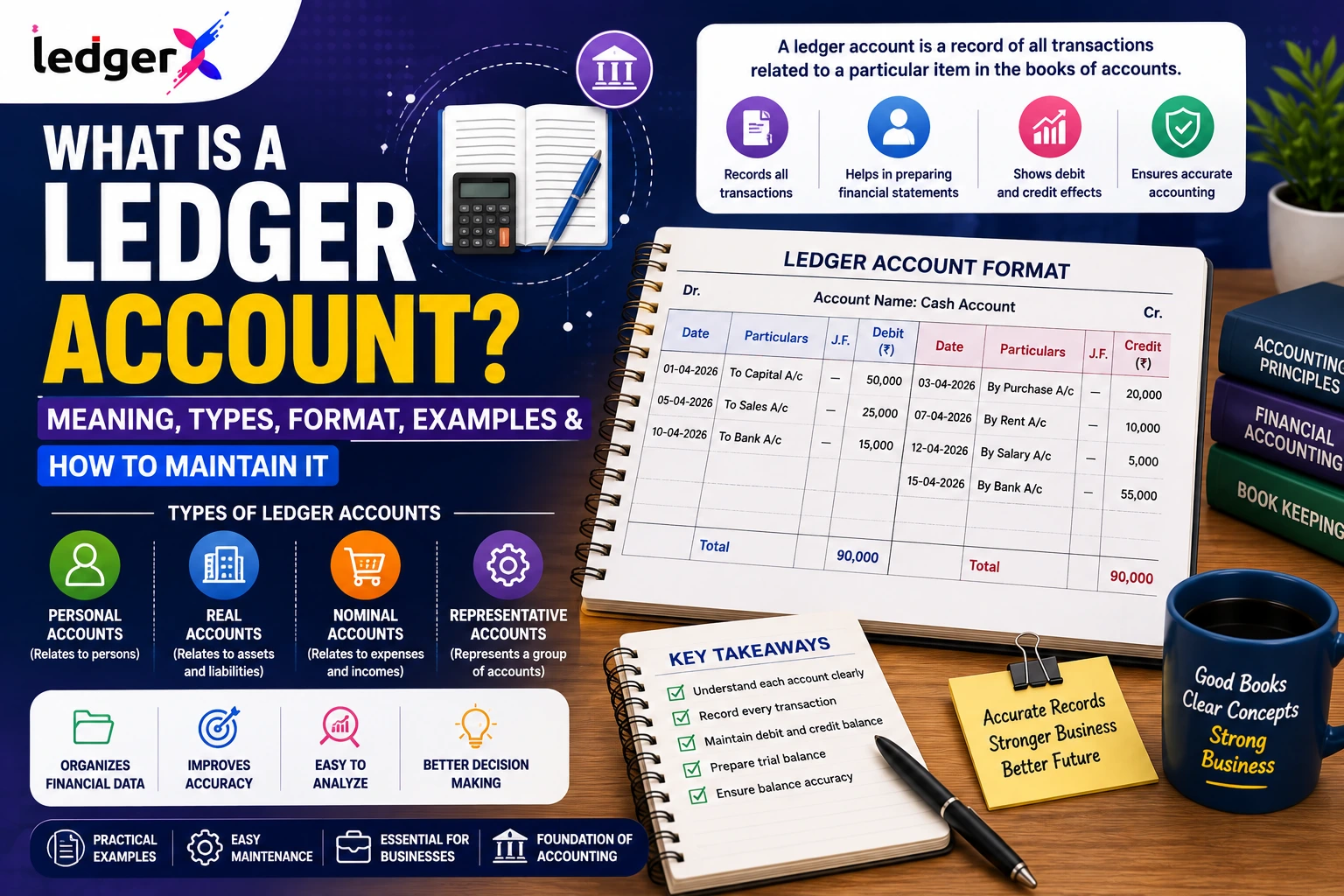
A Ledger Account is an accounting record that contains all transactions related to a specific account. It is created by posting entries from the Journal into individual accounts such as Cash, Bank, Sales, Purchases, Rent, Capital, or Accounts Receivable.
Each ledger account shows:
- Opening Balance
- Debit Entries
- Credit Entries
- Closing Balance
Ledger accounts provide a complete history of every transaction affecting a particular account.
For example:
- Cash Ledger
- Bank Ledger
- Sales Ledger
- Purchase Ledger
- Customer Ledger
- Supplier Ledger
- Salary Expense Ledger
Why are Ledger Accounts Important?
Ledger accounts are the foundation of financial reporting because they:
- Organize accounting transactions
- Show account-wise balances
- Help prepare the Trial Balance
- Support Profit & Loss Statements
- Assist in creating Balance Sheets
- Simplify audits
- Improve financial accuracy
- Help detect accounting errors
- Track customer and supplier balances
Without properly maintained ledger accounts, businesses cannot prepare reliable financial statements.
How Does a Ledger Account Work?
The accounting cycle generally follows this sequence:
- Record transactions in the Journal.
- Post journal entries to Ledger Accounts.
- Prepare the Trial Balance.
- Generate the Profit & Loss Statement.
- Prepare the Balance Sheet.
This systematic process ensures every financial transaction is accurately reflected in the company's books.
Types of Ledger Accounts
Ledger accounts can be classified into several categories.
1. Asset Ledger
Asset ledgers record resources owned by the business.
Examples include:
- Cash
- Bank
- Inventory
- Furniture
- Machinery
- Buildings
- Vehicles
- Computers
2. Liability Ledger
Liability ledgers record amounts the business owes.
Examples:
- Creditors
- Accounts Payable
- GST Payable
- Bank Loan
- Outstanding Expenses
- Salaries Payable
3. Equity Ledger
These accounts represent the owner's interest in the business.
Examples:
- Capital Account
- Drawings
- Retained Earnings
4. Revenue Ledger
Revenue ledgers record business income.
Examples:
- Sales
- Service Income
- Commission Income
- Interest Income
- Rental Income
5. Expense Ledger
Expense ledgers record operating costs.
Examples:
- Rent
- Salaries
- Electricity
- Marketing
- Insurance
- Repairs
- Depreciation
- Office Expenses
Ledger Account Format
A standard ledger account follows the T-account format.
| Debit (Dr.) | Amount (₹) | Credit (Cr.) | Amount (₹) |
|---|---|---|---|
| Opening Balance | 50,000 | ||
| Cash Received | 30,000 | Rent Paid | 10,000 |
| Customer Payment | 20,000 | Salary Paid | 15,000 |
| Balance c/d | 75,000 |
Alternatively, many accounting systems display ledger accounts in a running balance format.
Example of a Cash Ledger Account
Suppose the following transactions occur during April:
- Opening Cash Balance – ₹50,000
- Cash Sales – ₹40,000
- Rent Paid – ₹15,000
- Salary Paid – ₹20,000
- Customer Payment Received – ₹30,000
The Cash Ledger would appear as:
| Debit | Amount (₹) | Credit | Amount (₹) |
| Opening Balance | 50,000 | Rent | 15,000 |
| Cash Sales | 40,000 | Salary | 20,000 |
| Customer Receipt | 30,000 | Balance c/d | 85,000 |
| Total | 1,20,000 | Total | 1,20,000 |
How to Create a Ledger Account
Step 1: Record Journal Entries
Record every transaction in the journal using the double-entry accounting system.
Example:
Purchase goods worth ₹50,000 on credit.
Debit Purchases Account
Credit Accounts Payable
Step 2: Create Individual Ledger Accounts
Open separate ledger accounts for each account involved.
Examples:
- Purchases Ledger
- Accounts Payable Ledger
Step 3: Post Transactions
Transfer each journal entry to the corresponding ledger account.
Step 4: Calculate Balances
Find the closing balance for each ledger.
Step 5: Prepare the Trial Balance
Use all ledger balances to prepare the Trial Balance.
Difference Between Journal and Ledger
| Journal | Ledger |
| Book of original entry | Book of final entry |
| Records transactions chronologically | Records transactions account-wise |
| Used before ledger posting | Used after journal entries |
| Contains all business transactions | Contains transactions for one account |
| Basis for ledger creation | Basis for Trial Balance |
Common Ledger Accounts Used in Businesses
Most businesses maintain ledger accounts for:
- Cash
- Bank
- Capital
- Drawings
- Sales
- Purchases
- Accounts Receivable
- Accounts Payable
- GST Input
- GST Output
- Salary Expense
- Rent Expense
- Electricity Expense
- Office Expenses
- Interest Income
- Interest Expense
- Depreciation
- Fixed Assets
Common Mistakes While Maintaining Ledger Accounts
Businesses should avoid these common errors:
- Posting to the wrong account
- Duplicate ledger postings
- Missing journal entries
- Incorrect debit or credit entries
- Wrong opening balances
- Ignoring adjustments
- Not reconciling bank accounts
- Incorrect account classification
- Failure to review ledger balances regularly
Accounting software greatly reduces these risks.
Manual Ledger vs LedgerX Accounting Software
| Manual Ledger | LedgerX Accounting Software |
| Manual posting | Automatic ledger posting |
| Spreadsheet-based | Cloud-based accounting |
| Time-consuming | Real-time updates |
| Higher risk of errors | Improved accuracy |
| Manual reconciliation | Automated reconciliation |
| Delayed financial reports | Instant financial reporting |
Benefits of Using LedgerX Accounting Software
Maintaining ledger accounts manually becomes increasingly difficult as transaction volumes grow.
With LedgerX Accounting Software, businesses can:
- Automatically generate ledger accounts
- Record journal entries automatically
- Maintain customer and supplier ledgers
- Generate Trial Balance reports
- Create Profit & Loss Statements
- Generate Balance Sheets
- Track GST transactions
- Reconcile bank accounts
- Access reports from anywhere
- View real-time financial data
Instead of manually posting transactions to multiple ledger accounts, LedgerX automatically updates every relevant ledger whenever a transaction is recorded.
Best Practices for Maintaining Ledger Accounts
To ensure accurate accounting:
- Record transactions promptly.
- Verify debit and credit entries.
- Reconcile bank accounts regularly.
- Maintain supporting invoices.
- Review ledger balances monthly.
- Record adjustments before closing books.
- Separate business and personal transactions.
- Back up accounting records.
- Use accounting software for automation.
Frequently Asked Questions (FAQs)
What is a Ledger Account?
A Ledger Account is an accounting record that stores all transactions related to a specific account, such as Cash, Sales, Purchases, Bank, or Expenses.
Why is a Ledger Account important?
Ledger accounts organize financial data, help prepare Trial Balances, Profit & Loss Statements, and Balance Sheets, and improve the accuracy of financial reporting.
What is the difference between a Journal and a Ledger?
A Journal records transactions in chronological order, while a Ledger groups those transactions by individual accounts.
What are the main types of Ledger Accounts?
The primary categories are:
- Asset Ledger
- Liability Ledger
- Equity Ledger
- Revenue Ledger
- Expense Ledger
Can accounting software maintain Ledger Accounts automatically?
Yes. LedgerX Accounting Software automatically posts journal entries to the appropriate ledger accounts, eliminating manual bookkeeping and improving accounting accuracy.
Conclusion
A Ledger Account is one of the most important components of the accounting cycle. It organizes transactions account-wise, making it easier to monitor balances, prepare financial statements, identify errors, and understand the financial health of a business.
Although ledger accounts can be maintained manually, growing businesses often face challenges with accuracy and efficiency. LedgerX Accounting Software automates ledger management by recording transactions, updating ledger accounts instantly, generating Trial Balances, Profit & Loss Statements, and Balance Sheets, and providing real-time financial insights.
Whether you're a startup, retailer, wholesaler, service provider, manufacturer, freelancer, or accountant, LedgerX Accounting Software helps you simplify bookkeeping, improve accuracy, and make confident financial decisions.
Start using LedgerX Accounting Software today to automate ledger management, streamline accounting processes, and keep your business finances organized with ease.