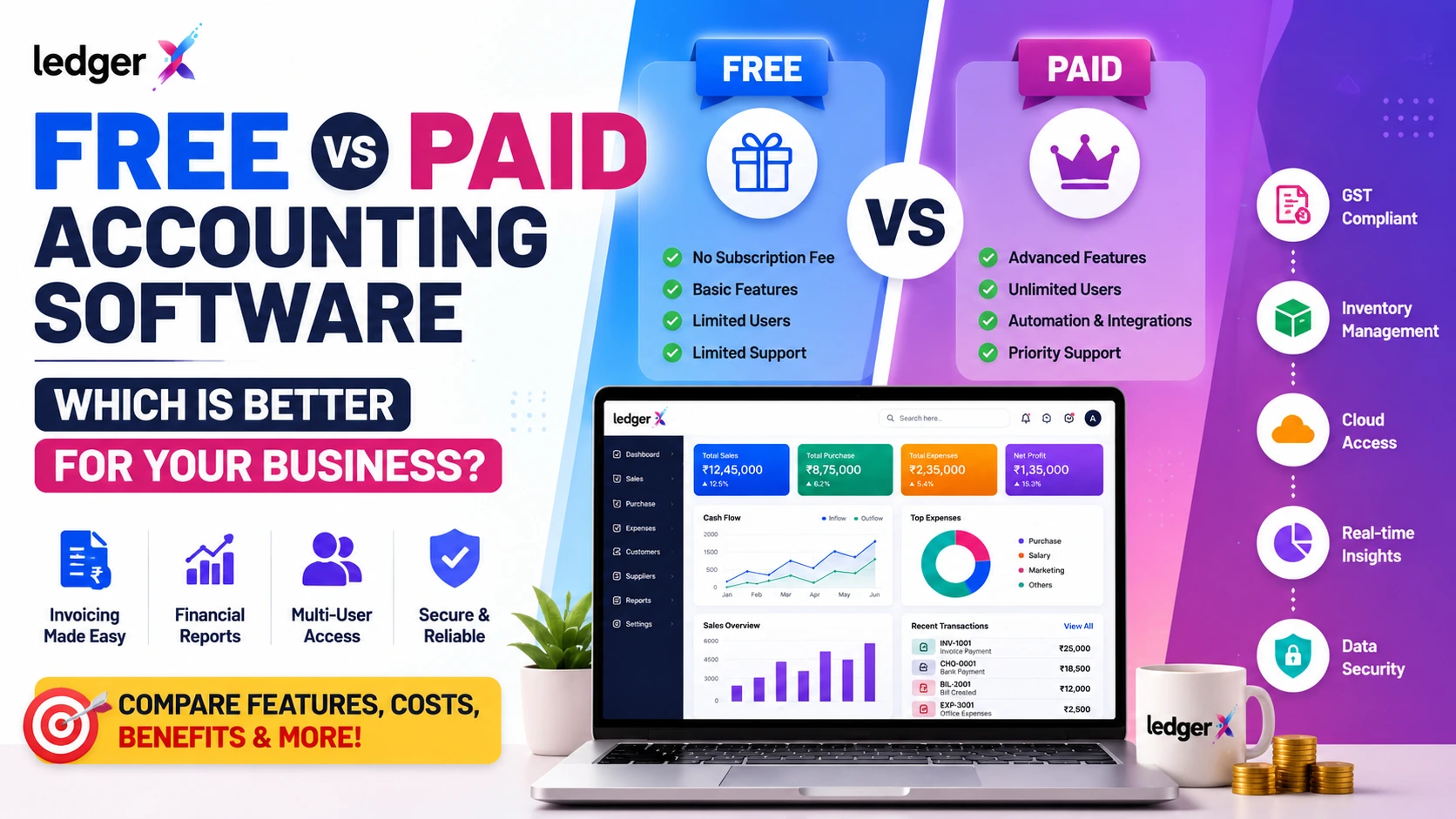
Free vs Paid Accounting Software: Which Is Better for Your Business?
Choosing accounting software is an important decision for any business. Whether you run a small retail shop, service business, startup, wholesale business or growing company, the right accounting system can make bookkeeping easier, reduce manual work and give you better visibility into your finances.
One of the biggest questions businesses face is:
Should you use free accounting software or pay for a premium accounting solution?
The answer is not always "paid is better."
Many free accounting platforms provide essential features that are enough for small businesses, while paid solutions may offer advanced functionality, integrations, automation and additional support.
In this guide, we'll compare free vs paid accounting software and explain what businesses should consider before making a decision.
What Is Free Accounting Software?
Free accounting software allows businesses to manage their accounting activities without paying a regular software subscription, or provides a free plan with a defined set of features.
Depending on the software, free accounting tools may include features such as:
- Invoicing
- Expense tracking
- Customer management
- Supplier management
- Basic financial reports
- Sales and purchase management
- Inventory management
- GST-related accounting
- Cloud access
- Basic bookkeeping
For a small business with straightforward accounting requirements, these features may be sufficient.
However, "free" does not always mean unlimited. Some software providers offer free plans with restrictions on users, transactions, features, storage or reporting.
Therefore, businesses should always check exactly what is included in a free plan.
What Is Paid Accounting Software?
Paid accounting software generally works on a subscription or licensing model.
Businesses pay monthly, annually or according to another pricing structure to access a wider range of accounting features.
Paid accounting software may provide:
- Advanced financial reports
- Automation
- Multiple users
- Inventory management
- GST features
- Advanced invoicing
- Bank reconciliation
- Payroll capabilities
- Integrations
- API access
- Custom reports
- Advanced security controls
- Priority customer support
Paid solutions can be useful for businesses with more complex accounting requirements or organizations that need additional functionality as they grow.
Free vs Paid Accounting Software: Quick Comparison
| Feature | Free Accounting Software | Paid Accounting Software |
|---|---|---|
| Basic invoicing | Usually available | Usually available |
| Expense management | Usually available | Available |
| Customer management | Usually available | Available |
| Supplier management | Usually available | Available |
| Basic reports | Available | Available |
| GST accounting | Depends on software | Usually available |
| Inventory | Depends on plan | Usually available |
| Multiple users | May be limited | Usually available |
| Advanced reports | May be limited | Usually available |
| Automation | Basic to moderate | Moderate to advanced |
| Integrations | May be limited | Usually more extensive |
| Customer support | Basic or limited | Often more extensive |
| Scalability | Depends on platform | Generally higher |
| Cost | Free or low | Subscription/licence cost |
The actual features vary from one accounting software provider to another, so businesses should compare plans rather than judging software purely by whether it is free or paid.
1. Cost: Is Free Accounting Software Really Free?
The biggest advantage of free accounting software is obvious: lower cost.
For startups, freelancers and small businesses, avoiding another monthly expense can be valuable.
However, businesses should look beyond the initial price.
A free accounting solution may have:
- User limitations
- Transaction limits
- Feature restrictions
- Storage limits
- Limited reports
- Paid add-ons
- Limited integrations
- Premium support charges
A paid solution may initially appear more expensive but could provide more features and automation that save time and reduce manual work.
What should you ask?
Before choosing software, check:
"What will I actually pay as my business grows?"
This is often more important than the starting price.
2. Features and Functionality
The second major difference is the range of features available.
A small business may only need:
- Sales invoices
- Purchase records
- Expenses
- Customers
- Suppliers
- Basic reports
In that situation, a free accounting solution can be more than enough.
But businesses with more complex operations may require:
- Inventory tracking
- Multiple users
- Detailed financial reports
- GST workflows
- Advanced accounting
- Automation
- Integrations
- Business analytics
In such cases, a paid solution may provide better value.
3. GST and Indian Business Requirements
For Indian businesses, GST accounting can be an important consideration.
Depending on the business and its requirements, accounting software may need to support workflows related to:
- GST invoices
- Taxable and non-taxable transactions
- Input tax information
- Sales and purchases
- Tax reports
- Customer and supplier records
Before selecting accounting software, Indian businesses should check whether the platform supports the GST-related accounting workflows they actually need.
Do not choose software simply because it says "GST-ready." Check the specific features and reports available.
4. Ease of Use
Accounting software should make accounting easier, not more complicated.
A powerful platform with hundreds of features may not be the best choice for a small business if employees struggle to use it.
Look for software with:
- Simple navigation
- Easy invoice creation
- Clear dashboards
- Straightforward customer and supplier management
- Easy expense recording
- Understandable reports
- Minimal unnecessary complexity
For many small businesses, simplicity can be a major advantage.
5. Cloud Access
Traditional accounting systems may require software to be installed on a particular computer.
Cloud-based accounting software allows businesses to access accounting information through an internet-connected device, depending on the platform.
This can be useful for:
- Business owners
- Accountants
- Sales teams
- Remote teams
- Multiple locations
Cloud accounting can also make collaboration easier because authorized users can work with the same business data.
6. Automation and Time Savings
Accounting involves many repetitive activities.
For example:
- Creating invoices
- Recording expenses
- Maintaining customer information
- Recording purchases
- Tracking payments
- Generating reports
Accounting software can reduce manual work by organizing these activities in one system.
The important question is not simply:
"Is the software free?"
Instead, ask:
"How much time can this software save my business?"
If software saves several hours every week, its value may be much greater than its subscription price.
7. Security and Data Protection
Financial information is sensitive.
Regardless of whether accounting software is free or paid, businesses should consider:
- Data security
- User access controls
- Backup mechanisms
- Cloud infrastructure
- Password protection
- Data privacy
- Account recovery
- Data export options
A free accounting solution should not automatically be considered unsafe, and a paid solution should not automatically be considered secure.
Evaluate the actual security practices and controls provided by the software.
8. Scalability
Your accounting requirements can change as your business grows.
A business may start with:
1 owner → 1 accountant → 20 customers
and eventually grow to:
Multiple employees → hundreds of customers → large inventory → multiple users
The accounting software should be capable of supporting that growth.
Before choosing a platform, consider:
- How many users will you need?
- How many transactions will you generate?
- Will you need inventory?
- Will you need advanced reports?
- Will multiple people access the system?
- Will you add branches or locations?
Choosing software that can grow with your business can prevent the need for another migration later.
Free Accounting Software vs Paid Software: Which Should You Choose?
There is no single answer for every business.
Choose Free Accounting Software If:
Free accounting software can be a good choice if:
- You are starting a small business
- Your accounting requirements are simple
- You have a limited budget
- You primarily need invoicing and basic bookkeeping
- You don't need advanced integrations
- You have a small number of users
- The free plan provides the features you actually need
For these businesses, paying for features they never use may not make sense.
Choose Paid Accounting Software If:
A paid accounting platform may be more suitable if:
- Your business has complex accounting requirements
- You need advanced reporting
- Multiple users need access
- You need extensive automation
- You require integrations
- You manage a large inventory
- Your transaction volume is high
- You need additional support
- You expect rapid business growth
The key is to pay for functionality that provides genuine value to your business.
What About LedgerX?
LedgerX is a cloud-based accounting software designed for businesses that want to manage their accounting online without unnecessary complexity.
LedgerX brings important business accounting activities into one platform, including:
- GST invoicing
- Sales and purchases
- Expense management
- Customer management
- Supplier management
- Inventory
- Receipts and payments
- Financial reports
- Multi-user access
- Cloud-based accounting
- AI-powered insights
One of the key advantages for businesses evaluating accounting software is its free-to-start model.
Businesses can start using LedgerX without immediately taking on the cost of a traditional paid accounting subscription.
Who can use LedgerX?
LedgerX can be useful for:
- Small businesses
- Retail stores
- Wholesalers
- Manufacturers
- Service businesses
- Startups
- Traders
- Distributors
- Accountants
- Growing businesses
Whether you're moving from spreadsheets or switching from another accounting platform, the goal is to make the transition to digital accounting easier.
Free Does Not Always Mean Basic
One common misconception is:
"If accounting software is free, it must have very few features."
That is not necessarily true.
Modern cloud accounting platforms can provide substantial functionality without requiring businesses to purchase expensive software upfront.
The important thing is to evaluate:
Features + usability + security + scalability + total cost
rather than looking only at the price.
Don't Choose Accounting Software Based on Price Alone
Price is important, but it shouldn't be the only deciding factor.
Imagine two accounting platforms:
Software A
- ₹0 cost
- Basic invoicing
- Limited reports
- Limited users
- Limited automation
Software B
- ₹2,000/month
- Advanced reports
- Multiple users
- Automation
- Integrations
If your business only needs basic invoicing, Software A could be the better choice.
But if Software B saves your accountant 20 hours every month and provides critical reports, the higher cost could potentially be justified.
The best accounting software is the one that provides the right value for your specific business.
7 Questions to Ask Before Choosing Accounting Software
Before selecting any accounting platform, ask:
1. What features does my business actually need?
Don't pay for features you won't use.
2. Can I create GST-compliant invoices?
Check the GST functionality relevant to your business.
3. Can multiple users access the system?
This is important when business owners, accountants and employees need access.
4. Is my data stored securely?
Understand how the platform handles your financial data.
5. Can I access my accounts online?
Cloud access can be valuable for modern businesses.
6. Can the software grow with my business?
Consider your requirements two or three years from now.
7. What is the total cost?
Look beyond the advertised starting price and check limits, upgrades and additional charges.
Free vs Paid Accounting Software: Final Verdict
So, which is better: free or paid accounting software?
The answer depends on your business.
If you're a small business with straightforward accounting requirements, a capable free accounting solution may provide everything you need.
If your business requires advanced accounting, automation, integrations, complex reporting and extensive support, a paid solution may be more appropriate.
However, businesses should not assume that they need to pay a large subscription simply to get modern accounting features.
The best choice is software that gives you the features you need, at a cost that makes sense for your business.
For businesses looking for a cloud-based accounting platform with a free-to-start approach, LedgerX is worth considering.
Ready to Simplify Your Business Accounting?
Stop depending on spreadsheets and complicated accounting processes.
Start managing your sales, purchases, expenses, customers, suppliers, inventory and financial reports from one platform.
Start with LedgerX and see how simple business accounting can be.
Frequently Asked Questions
Is free accounting software good for small businesses?
Yes. Free accounting software can be suitable for small businesses when the available features meet their accounting requirements and there are no restrictive transaction, user or feature limits.
Is paid accounting software better than free accounting software?
Not necessarily. Paid software may provide more advanced features, but the best option depends on the business's requirements, budget and expected growth.
Can free accounting software handle GST?
Some free accounting platforms provide GST-related features. Businesses should check the specific GST functionality offered by the software before choosing it.
Can I switch from Excel to accounting software?
Yes. Businesses can move from spreadsheets to accounting software to reduce manual bookkeeping and centralize their financial information. Check whether the chosen platform supports data import.
Can I switch from paid accounting software to free accounting software?
Yes, but businesses should first check whether the new platform supports the required data migration, accounting workflows, reports and features.
Is cloud accounting better than desktop accounting software?
Cloud accounting can provide easier access, collaboration and centralized data management. However, the best choice depends on the business's requirements and working environment.
What should I consider before choosing accounting software?
Consider features, ease of use, GST functionality, reporting, security, user access, scalability, data migration, support and total cost.