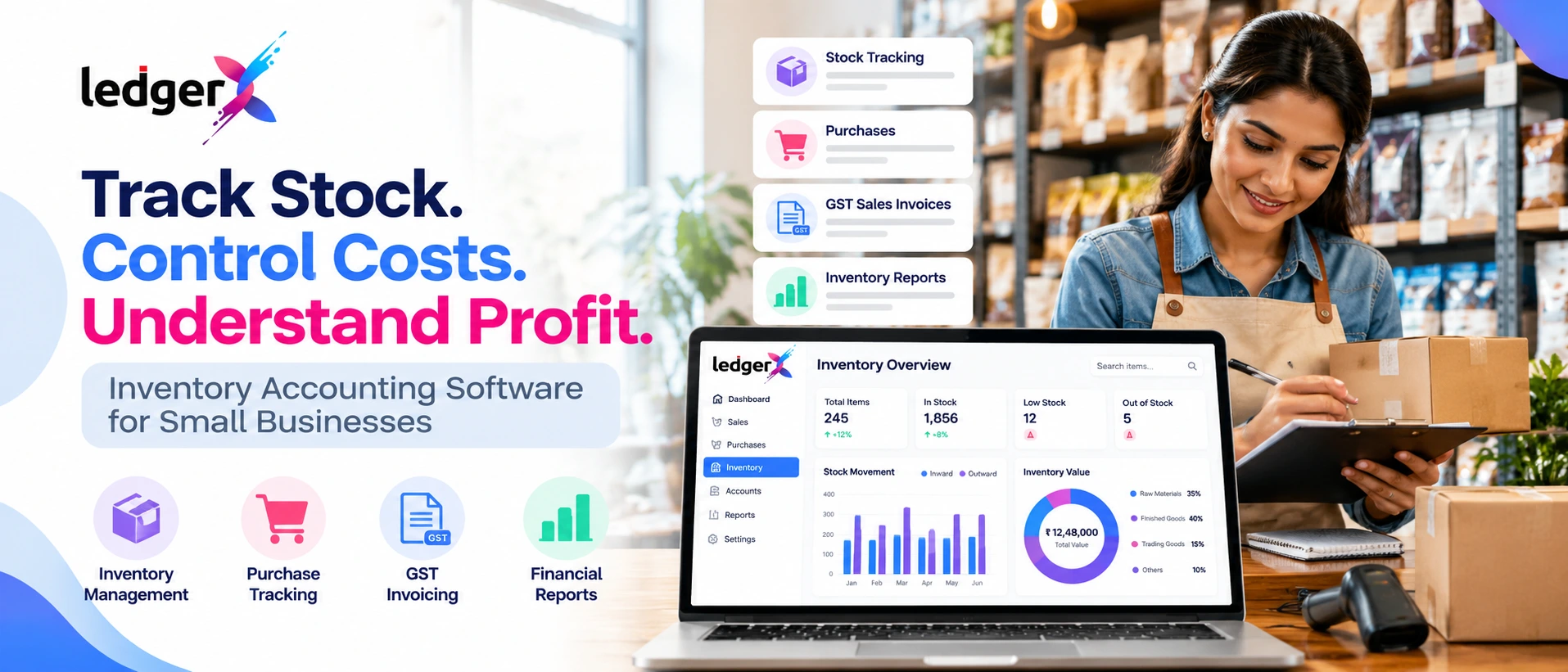
Inventory Accounting Software for Small Businesses: How to Track Stock, Sales and Costs
For a small business that sells products, managing inventory involves more than counting items on shelves. Business owners also need to record purchases, track sales, monitor stock movement, understand inventory costs and maintain accurate financial records.
When these activities are managed using separate spreadsheets, notebooks and billing applications, keeping stock information consistent can become difficult. A product may appear available in one record but be out of stock in reality. Purchase costs may not be reviewed regularly, and the value of unsold inventory may be unclear when preparing financial reports.
Inventory accounting software helps businesses organize these activities by connecting stock-related records with sales, purchases and accounting information.
In this guide, we explain how inventory accounting works, what small businesses should track, how inventory affects profitability and what to consider when choosing inventory accounting software in India.
What Is Inventory Accounting Software?
Inventory accounting software helps businesses maintain records of goods purchased, goods sold, stock quantities and inventory-related costs.
Depending on the software, it may also connect inventory transactions with sales invoices, purchase records, cost calculations and financial reports.
For example, a retailer purchasing 100 units of a product needs to record the purchase and the quantity received. When 15 units are sold, the stock record should reflect the movement. The business also needs an appropriate method to determine the cost of the units sold and the value of the remaining inventory.
Inventory accounting software helps organize these records so business owners can review stock information alongside other business transactions.
It is particularly useful for retailers, wholesalers, distributors, manufacturers and other businesses that purchase or sell physical products.
Why Is Inventory Accounting Important for Small Businesses?
Inventory represents money invested in goods that a business intends to sell or use in production. Poor inventory records can affect purchasing decisions, customer service and financial reporting.
Consider a retailer that believes 20 units of a product are available, while only 12 units are physically present. The discrepancy may lead to delayed orders, missed sales or unnecessary emergency purchases.
Similarly, if purchase costs are not recorded accurately, the business may underestimate its costs and overestimate its profitability.
Good inventory accounting helps businesses:
- Maintain more accurate stock records.
- Track purchases and sales.
- Identify stock discrepancies.
- Review inventory levels before reordering.
- Understand the cost of goods sold.
- Estimate the value of closing stock using the applicable valuation method.
- Maintain better records for accounting and financial reporting.
Inventory records should still be checked against physical stock periodically. Software helps organize information, but accurate results depend on complete transactions and appropriate procedures.
1. Track Stock Inward and Outward
The foundation of inventory management is knowing how stock enters and leaves the business.
Stock can enter through purchases, production or other legitimate stock movements. It can leave through sales, returns to suppliers, internal consumption, damage, expiry or other adjustments.
Businesses should record each relevant movement consistently.
Example: A retail shop
Suppose a shop starts the week with 50 units of a product and purchases another 30 units.
Its available stock before sales is:
Opening stock + Purchases = 50 + 30 = 80 units
If the shop sells 22 units, the expected remaining quantity is:
80 − 22 = 58 units
This calculation assumes there are no other stock movements or adjustments during the period.
If a physical count shows only 55 units, the business should investigate the difference. Possible explanations include recording errors, damaged goods, unrecorded sales or other stock movements.
Maintaining records of stock received and issued makes these discrepancies easier to identify.
2. Connect Purchases With Inventory Records
Purchase records are important because they explain where stock came from, how much was acquired and what the business paid.
When goods arrive, the business should verify the quantities against the purchase order or supplier invoice, where applicable. Any shortages, damaged items or other discrepancies should be documented.
Useful purchase information includes:
- Supplier details.
- Purchase invoice number and date.
- Product description.
- Quantity received.
- Purchase price and relevant costs.
- Applicable tax information.
- Payment status.
Accurate purchase records help businesses review supplier costs, understand stock availability and maintain supporting documentation.
They can also help identify changes in purchase prices. If the cost of a regularly purchased item increases, the business can assess the impact on its selling price and gross profit margin.
3. Record Sales and Update Stock Information
Sales transactions affect both revenue and inventory.
When a business sells products, it should maintain the relevant sales invoice and record the quantity sold. The inventory records should reflect the transaction according to the software's workflow and the business's accounting procedures.
For example, if a shop sells 12 units of a product, the sales record captures the transaction, while the inventory record reflects the corresponding stock movement.
Connecting sales and inventory records can reduce the need to maintain separate manual lists.
Businesses should also account for relevant returns, cancellations and adjustments so that stock records remain consistent with actual transactions.
For GST-registered businesses, invoice information must comply with the applicable GST requirements. The correct treatment depends on the nature of the transaction and the business's circumstances.
4. Understand Inventory Costs and Cost of Goods Sold
Stock quantity alone does not show how much money is tied up in inventory.
Businesses also need to understand inventory costs and how those costs affect profitability.
Cost of goods sold, or COGS, generally represents the cost assigned to the goods sold during a period.
For a trading business using a periodic inventory approach, a common formula is:
Cost of Goods Sold = Opening Inventory + Net Purchases and Applicable Inventory Costs − Closing Inventory
The precise calculation depends on the accounting method, the nature of the business and the applicable accounting requirements.
Example
Suppose a retailer has:
- Opening inventory: ₹1,00,000
- Net purchases and applicable inventory costs: ₹2,50,000
- Closing inventory: ₹80,000
Using the simplified formula:
COGS = ₹1,00,000 + ₹2,50,000 − ₹80,000
COGS = ₹2,70,000
This means ₹2,70,000 is assigned to the cost of goods sold under the assumptions in this example.
The closing inventory value should be determined using the appropriate valuation method and applicable accounting requirements. It should not be treated as a guess based only on the cash spent on purchases.
Accurate inventory valuation matters because it affects the cost of goods sold, reported gross profit and the inventory amount shown in the financial statements.
5. Calculate Gross Profit More Reliably
Gross profit helps businesses understand the difference between sales revenue and the cost of the goods sold.
Gross Profit = Net Sales − Cost of Goods Sold
For example, suppose a business records net sales of ₹4,00,000 and a cost of goods sold of ₹2,70,000.
Gross Profit = ₹4,00,000 − ₹2,70,000 = ₹1,30,000
The gross profit margin is:
Gross Profit Margin = (Gross Profit ÷ Net Sales) × 100
Gross Profit Margin = (₹1,30,000 ÷ ₹4,00,000) × 100 = 32.5%
This means the business retains ₹32.50 in gross profit for every ₹100 of net sales before deducting operating expenses and other applicable costs.
If inventory costs are inaccurate, the gross profit calculation may also be unreliable. That is why purchase records, sales records and inventory valuation should be maintained consistently.
Businesses can compare gross profit margins across periods to investigate changes in purchase costs, selling prices, product mix and other relevant factors.
6. Prevent Overstocking and Stockouts
Two common inventory problems are holding too much stock and running out of products customers want to buy.
Overstocking
Excess stock can tie up working capital and create additional storage costs. Depending on the product, it may also increase the risk of damage, expiry, obsolescence or price reductions.
Stockouts
Insufficient stock can result in missed sales, delayed customer orders and emergency purchasing at less favourable prices.
To manage these risks, businesses should review sales history, supplier lead times, seasonal demand and the importance of individual products.
A simple reorder process can help:
- Identify products that sell regularly.
- Review how quickly each product moves.
- Estimate the time needed for replenishment.
- Set appropriate stock thresholds.
- Review slow-moving and excess inventory.
- Adjust purchasing decisions as demand changes.
Some inventory systems offer low-stock alerts, reorder suggestions or more advanced forecasting. Businesses should verify that these features are available in their chosen software before relying on them.
7. Use Inventory Reports to Make Better Decisions
Inventory reports help business owners understand which products are moving, which items require attention and how stock is distributed across the business.
Useful reports may include:
Stock summary: Shows recorded stock quantities for products.
Stock movement report: Helps review inward and outward stock transactions.
Purchase report: Summarizes purchases and supplier-related transactions.
Sales report: Shows sales activity across products or periods.
Slow-moving stock report: Helps identify products with limited movement, where the software supports this analysis.
Inventory valuation report: Shows the value of inventory based on the applicable recorded quantities and valuation method, where supported.
These reports can help answer practical questions:
- Which products sell most frequently?
- Which items have remained in stock for too long?
- Are purchase costs increasing?
- Which products may need replenishment?
- Does the recorded inventory match the physical count?
- How is inventory affecting gross profit?
The exact reports and calculations available depend on the software and its configuration.
8. What Should You Look for in Inventory Accounting Software?
Choosing inventory accounting software requires more than checking whether it can display stock quantities. The software should support the way the business buys, sells, records and reviews products.
Before choosing a solution, consider the following features.
Stock quantity tracking
Check whether the software can maintain product quantities and record relevant stock movements.
Purchase and sales integration
Review how purchase records, sales invoices and inventory records work together. Understand which updates happen automatically and which require additional steps.
Inventory valuation
Confirm whether the software supports the valuation and closing-stock processes your business needs.
Financial reporting
Check whether the system provides the accounting reports required to review revenue, expenses, inventory and profitability.
GST billing
If your business is registered under GST, review the invoice features and applicable tax workflows.
Data access and export
Check how you can retrieve reports and export records when needed.
Ease of use and support
The system should fit the team's workflow and provide access to suitable documentation or customer support.
Pricing and scalability
Consider the cost, user requirements, transaction volume and features available under the relevant plan.
The best software is one that meets the business's actual requirements without relying on features that are unavailable or unnecessary.
9. How LedgerX Helps Businesses Manage Inventory and Accounting
LedgerX is a cloud-based accounting and GST billing application developed for Indian businesses.
It brings inventory-related activities together with other business records, helping businesses manage product transactions alongside accounting and financial reporting.
Relevant LedgerX capabilities include:
- Inventory management: Maintain product and stock-related records.
- Sales and purchase recording: Organize sales and purchase transactions.
- GST and non-GST invoicing: Create invoices for applicable business transactions.
- Financial reporting: Review Profit and Loss, Balance Sheet and other accounting reports.
- Closing stock valuation: Support closing-stock valuation through the available accounting workflow.
- Customer and supplier management: Maintain relevant customer and supplier records.
These features can help retailers, wholesalers, distributors and other product-based businesses keep their accounting information more organized.
The exact workflow depends on the features available in the current LedgerX application. Businesses should verify that the product supports their required inventory valuation, reporting and stock-management procedures before adopting it for those purposes.
Explore LedgerX to review the platform and its available features.
Frequently Asked Questions
What is inventory accounting software?
Inventory accounting software helps businesses maintain stock records and connect inventory-related transactions with purchasing, sales, costs and financial reporting. The available features vary by product.
Is inventory accounting software useful for small businesses?
Yes. It can help small retailers, wholesalers and distributors organize stock records, review purchases and sales, identify discrepancies and understand inventory costs. Its value depends on the business's transaction volume and requirements.
What is the difference between inventory management and inventory accounting?
Inventory management focuses on stock quantities, movements, availability and replenishment. Inventory accounting focuses on the financial treatment and valuation of inventory and its effect on costs and financial statements. Many business systems support both activities.
How does inventory affect profitability?
Inventory affects the cost of goods sold and therefore gross profit. Incorrect purchase records or inventory valuation can distort reported profitability. Unsold inventory is generally accounted for according to the applicable inventory valuation and accounting requirements.
Can inventory accounting software help prevent stock discrepancies?
It can help by maintaining transaction records and making recorded stock information easier to review. However, businesses still need appropriate receiving procedures, accurate transaction entry and periodic physical stock checks.
What should retailers look for in inventory accounting software?
Retailers should consider stock quantity tracking, sales and purchase records, inventory valuation, GST billing where applicable, financial reports, data export and ease of use. They should also verify whether the software supports their particular product and stock workflows.
Does LedgerX support inventory management?
LedgerX includes inventory management alongside sales, purchases, invoicing and financial reporting. Businesses should review the current product features to confirm that the available functionality meets their specific stock-management requirements.
Conclusion
Inventory management and accounting are closely connected. Businesses need to know what stock they hold, what they have purchased, what they have sold and how inventory costs affect their financial performance.
Consistent stock records, accurate purchase and sales entries, appropriate inventory valuation and regular reporting can help businesses make better purchasing decisions and understand profitability more clearly.
Inventory accounting software can support this process by bringing stock-related records together with business transactions and financial reports.
LedgerX combines inventory management with GST billing, sales and purchase records, and accounting reports for Indian businesses. If you want to organize your stock and accounting information in one platform, explore LedgerX and assess whether its available features fit your business needs.
Explore LedgerX: https://ledgerx.biz/
Disclaimer: This article is for general informational purposes and does not constitute professional accounting, financial or tax advice. Inventory valuation and accounting treatment depend on the nature of the business, applicable accounting requirements and relevant laws. Consult a qualified professional when necessary.