How to Manage GST Billing, Expenses and Business Accounts in One Place
Running a business in India involves more than generating invoices and collecting payments. Business owners must also record purchases, track expenses, maintain customer and supplier accounts, monitor inventory where applicable, and review financial performance.
When these activities are managed using separate spreadsheets, billing applications and accounting records, keeping everything updated can become time-consuming. Important transactions may be missed, records can become inconsistent, and preparing financial reports may require additional manual work.
A practical solution is to manage these activities through a connected accounting system.
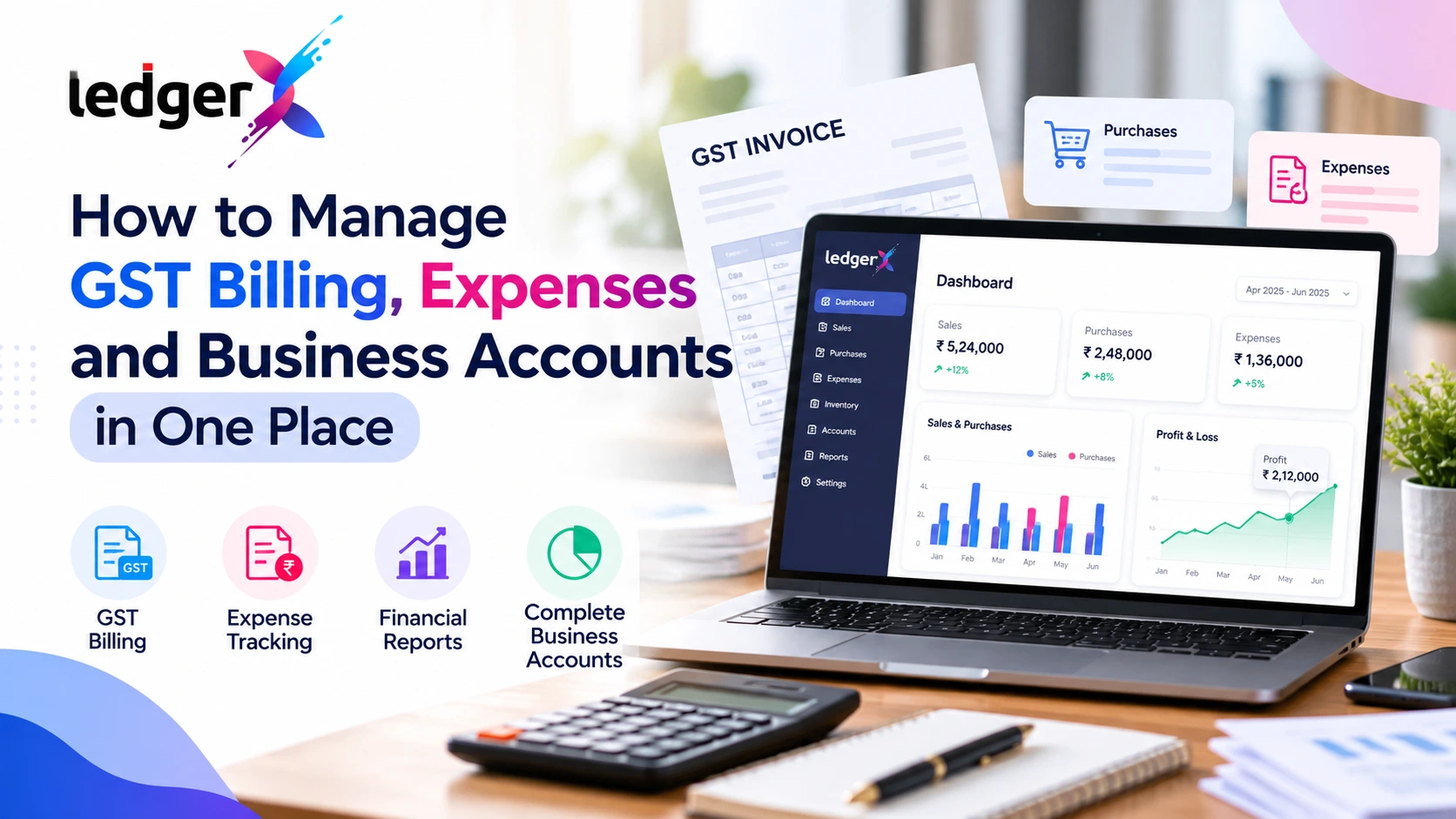
With suitable GST billing and accounting software, businesses can create invoices, record sales and purchases, track expenses, maintain financial records and review reports in one place. This helps business owners keep their records organized and understand their financial position more clearly.
In this guide, we explain how to manage GST billing, expenses and business accounts more efficiently, what records to maintain, and how LedgerX can help simplify everyday accounting.
Why Should Businesses Manage Billing, Expenses and Accounts Together?
GST billing, expense tracking and accounting are closely connected.
When a business creates a sales invoice, the transaction affects sales records and may also affect GST calculations, customer balances and financial reports. Similarly, recording a purchase or business expense helps maintain accurate accounts and understand the cost of running the business.
If these activities are maintained separately, the same information may need to be entered multiple times.
For example, a retailer might create an invoice in one application, record the payment in a spreadsheet, update stock separately and enter the transaction into accounting software later. This approach can increase the risk of duplicate entries, missed records and reporting delays.
Managing these activities through one accounting system helps businesses:
- Maintain organized sales and purchase records.
- Create and manage GST and non-GST invoices.
- Record business expenses consistently.
- Track customer payments and supplier dues.
- Maintain inventory records where applicable.
- Review financial reports using recorded transactions.
- Reduce repetitive data entry and manual recordkeeping.
The objective is not simply to digitize paperwork. It is to maintain connected financial records that support day-to-day business decisions.
1. Create and Maintain GST Invoices Properly
GST invoicing is an important part of the sales process for businesses registered under GST.
A GST invoice records details of a supply, including relevant supplier and customer information, invoice number, date, description of goods or services, taxable value and applicable tax details.
The required particulars depend on the type of transaction and the applicable GST rules. Businesses should refer to the current official invoice requirements published by the Central Board of Indirect Taxes and Customs (CBIC).
Official reference: CBIC GST Invoice Rules
What should businesses do?
Step 1: Maintain customer details.
Keep customer names, addresses, GSTINs where applicable, and other relevant billing information organized.
Step 2: Record the goods or services supplied.
Enter the product or service details, quantities, rates and applicable tax information.
Step 3: Verify invoice details.
Review the invoice number, date, customer information, taxable value and GST calculations before issuing the invoice.
Step 4: Maintain invoice records.
Keep sales invoices organized so they can be retrieved when reviewing transactions, checking customer balances or preparing accounting reports.
Step 5: Review GST-related records periodically.
Compare recorded transactions and relevant GST reports to identify missing information or discrepancies that require attention.
Using GST billing software can make this workflow more consistent and reduce repetitive calculations.
LedgerX supports GST and non-GST invoicing, applicable tax calculations and organized sales records. Businesses can use these features to manage routine billing activities through their accounting system.
For a detailed explanation of invoice requirements, read our guide to GST Invoice Format in India.
2. Record Sales and Purchases Consistently
Sales and purchase records help businesses understand how much they sell, what they buy and how transactions affect their accounts.
Recording only the invoice is not enough. Businesses should also maintain the related transaction information and update their records when payments, returns or adjustments occur.
Managing sales records
For every sales transaction, maintain the relevant information, including:
- Invoice number and date.
- Customer details.
- Goods or services supplied.
- Taxable value and applicable GST.
- Amount received and balance outstanding, where applicable.
Organized sales records help businesses review revenue, identify unpaid invoices and understand customer balances.
Managing purchase records
Purchase records should capture the supplier, invoice details, goods or services purchased, applicable tax information and payment status.
Regularly recording purchases helps businesses understand their operating costs, track supplier obligations and maintain supporting documentation.
Why should sales and purchases be connected to accounting?
When transactions are recorded consistently, the business can use the information for accounting, outstanding balance tracking and financial reporting.
LedgerX provides sales and purchase recording alongside customer, supplier and accounting features, helping businesses maintain related records within one system.
3. Track Business Expenses Without Losing Important Details
Expenses directly affect business profitability. However, small and frequent expenses can be difficult to track when receipts, payment records and accounting entries are scattered across different places.
Common business expenses include:
- Rent and utilities.
- Salaries and employee-related expenses.
- Transportation and delivery costs.
- Office supplies and maintenance.
- Software subscriptions.
- Advertising and marketing.
- Repairs and other operating costs.
The categories applicable to each business will vary.
A simple expense management process
Step 1: Record each expense promptly.
Enter the transaction when the expense occurs or as soon as the supporting information becomes available.
Step 2: Categorize the expense.
Use appropriate expense accounts so that similar costs are grouped consistently.
Step 3: Retain supporting documents.
Keep relevant invoices, receipts and payment evidence according to your business's recordkeeping requirements.
Step 4: Record payment details.
Maintain the payment method, transaction date and relevant account information.
Step 5: Review expenses regularly.
Compare expense categories over time to identify unusual increases, recurring costs and opportunities to improve cost control.
For example, a business owner who records advertising expenses separately can review marketing costs against sales performance. A retailer who tracks delivery expenses can assess whether distribution costs are increasing faster than revenue.
LedgerX helps businesses record expenses and review their financial information through accounting reports. Consistent expense recording makes those reports more useful.
4. Keep Customer Payments and Supplier Dues Organized
Creating an invoice does not necessarily mean that the customer has paid. Likewise, recording a purchase does not mean the supplier has already received payment.
Businesses need to track both sides of these transactions.
Customer payments
Maintain records of:
- Total amount invoiced.
- Payments received.
- Outstanding customer balances.
- Due dates and follow-up requirements, where applicable.
Reviewing outstanding amounts helps business owners identify delayed payments and plan cash requirements.
Supplier payments
Maintain supplier invoices, amounts payable, payments made and outstanding balances.
This information helps businesses plan upcoming payments, avoid overlooking supplier obligations and maintain better working relationships.
Why this matters
A business can show sales on its reports but still face cash-flow pressure if customers pay late. Similarly, unexpected supplier dues can affect the ability to pay other operating expenses.
Organized customer and supplier records provide a clearer view of money expected to come in and payments that need to go out.
LedgerX includes customer and supplier management and supports tracking relevant payments and outstanding amounts, helping businesses keep these records organized.
5. Manage Inventory Alongside Sales and Purchases
For retailers, wholesalers, distributors and product-based businesses, inventory is closely connected to billing and purchasing.
When inventory records are maintained separately from sales and purchase records, it can become difficult to understand stock movement and identify discrepancies.
A connected workflow helps businesses maintain information about:
- Products and item details.
- Purchase quantities.
- Sales quantities.
- Stock movement.
- Available inventory.
- Inventory-related transactions.
Consider a retailer that sells 20 units of a product during a week. If sales records are updated but stock records are not, the retailer may make purchasing decisions using outdated information.
Maintaining connected sales, purchase and inventory records can help reduce this problem.
LedgerX includes inventory management alongside billing, purchases and accounting. This is particularly useful for businesses that need to manage product transactions and financial records together.
Businesses should still perform appropriate physical stock checks and investigate differences between recorded and actual inventory.
6. Use Financial Reports to Understand Business Performance
Recording transactions is only one part of accounting. Business owners also need to understand what those records indicate.
Financial reports help convert transaction data into information that supports business decisions.
Profit and Loss statement
A Profit and Loss statement summarizes revenue and expenses over a period and helps determine whether the business generated a profit or loss.
Business owners can use it to review sales, expenses and profitability.
Balance Sheet
A Balance Sheet presents the business's assets, liabilities and equity at a particular date.
It helps business owners understand what the business owns, what it owes and its financial position.
Ledger and other accounting reports
Ledger accounts and other accounting reports help users examine individual transactions, account balances and the movement of amounts recorded in the books.
How often should reports be reviewed?
The frequency depends on the size and nature of the business. Many businesses benefit from reviewing sales, expenses and outstanding payments regularly, while reviewing financial statements monthly or at other appropriate intervals.
Reports are only as reliable as the underlying records. Missing transactions, incorrect classifications and duplicate entries can affect the results.
LedgerX provides financial reporting features, including Profit and Loss, Balance Sheet and other accounting reports, helping businesses review their recorded financial information.
You can also explore our guide on how to prepare a Profit and Loss statement to understand how revenue and expenses contribute to business profitability.
7. How to Bring GST Billing, Expenses and Accounts Into One Workflow
A practical accounting workflow connects the activities discussed above.
Businesses can use the following routine to keep their records organized.
Daily
- Create invoices for applicable sales.
- Record purchases and business expenses.
- Update customer receipts and supplier payments.
- Review important transactions for missing or incorrect details.
- Update inventory records where applicable.
Weekly
- Review outstanding customer balances.
- Check supplier dues and upcoming payments.
- Review major expense categories.
- Check stock levels and investigate discrepancies where relevant.
- Identify missing invoices or supporting documents.
Monthly
- Review sales and purchase records.
- Review expense categories and account balances.
- Examine the Profit and Loss statement.
- Review the Balance Sheet and other relevant reports.
- Compare applicable GST records and investigate discrepancies.
- Organize records and documents for accounting review and tax-related work.
The exact process will vary according to the business, its GST obligations and its accounting procedures. Tax calculations, reconciliations and return preparation should be checked by a qualified professional when required.
A consistent workflow helps prevent accounting from becoming a last-minute activity at the end of the month.
8. How LedgerX Helps Simplify Business Accounting
LedgerX is a cloud-based accounting and GST billing application developed for Indian businesses.
It brings several day-to-day accounting activities together so that business owners and accountants can manage their records through one platform.
Relevant LedgerX features include:
GST and non-GST invoicing: Create invoices and maintain sales records with applicable tax details.
Sales and purchase management: Record business transactions and maintain related customer and supplier information.
Expense tracking: Record operating expenses and organize them within the accounting system.
Inventory management: Maintain product and stock-related records alongside relevant business transactions.
Customer and supplier accounts: Manage relevant balances, payments and outstanding amounts.
Financial reporting: Review Profit and Loss, Balance Sheet and other accounting reports.
Cloud access: Access the application online through supported devices, subject to account access and service availability.
AI-powered insights: Use available AI features to gain additional visibility into business information.
The aim is to reduce the need to maintain disconnected records and make day-to-day accounting easier to manage.
Explore the LedgerX GST Accounting Software page to review the platform's available features.
9. How to Choose the Right Accounting Workflow for Your Business
Not every business needs the same accounting process. Before adopting software, consider the following questions:
- Can you create the invoice types your business requires?
- Can you record purchases and expenses in a consistent manner?
- Can you maintain customer and supplier balances?
- Does the software support inventory if your business sells products?
- Can you generate the financial reports you need?
- Can you access records conveniently when working away from your office?
- Does the pricing model fit your transaction volume and budget?
- Can you export or retrieve records when needed?
- Are the available features suitable for your GST and accounting workflows?
Also verify how the application handles user permissions, data security, backups, support and data migration before moving important business records.
The best accounting system is one that fits your actual workflow and helps you maintain reliable records consistently.
Frequently Asked Questions
Can I manage GST billing and expenses in the same accounting software?
Yes. Accounting platforms that support GST invoicing and expense recording can help businesses manage these activities within one system. Check that the available features match your business requirements.
Is GST billing software useful for small businesses?
It can be useful for small businesses that need to create invoices, record sales and purchases, maintain customer information and organize accounting records. The right solution depends on transaction volume, reporting needs and the business's GST obligations.
Can accounting software help track customer payments and supplier dues?
Software with customer and supplier account management can help maintain payment records and outstanding balances. Businesses should review those records regularly to identify overdue amounts and upcoming obligations.
Can I generate Profit and Loss and Balance Sheet reports from accounting software?
Accounting software with financial reporting features can generate these reports from recorded transactions. Their accuracy depends on complete and correctly classified accounting records.
Does LedgerX support GST billing, expenses and inventory?
LedgerX provides GST and non-GST invoicing, expense management, inventory features, sales and purchase recording, and financial reports. Review the current product features to confirm they meet your specific requirements.
Can I use LedgerX online?
LedgerX is a cloud-based application accessible through its supported web and mobile channels. Availability depends on your account and access to the service.
How can I get started with LedgerX?
Visit LedgerX, create an account and explore the available features and usage options. Review the current pricing and usage terms before choosing a plan.
Conclusion
Managing GST billing, expenses, purchases, customer payments and financial reports does not have to involve multiple disconnected records.
A consistent accounting workflow helps businesses maintain organized information, review outstanding payments, understand expenses and assess financial performance. Accounting software can support this process by bringing essential business records and reports together.
LedgerX helps Indian business owners and accountants manage GST invoicing, expenses, inventory, customer and supplier records, and financial reporting through a cloud-based accounting platform.
If you want to simplify your daily accounting workflow, explore LedgerX and see whether its available features fit your business needs.
Get started with LedgerX: https://in.edgerx.biz/
Disclaimer: This article is for general informational purposes and is not a substitute for professional accounting or tax advice. GST requirements depend on the nature of the transaction and the applicable law. Consult a qualified tax professional when necessary.